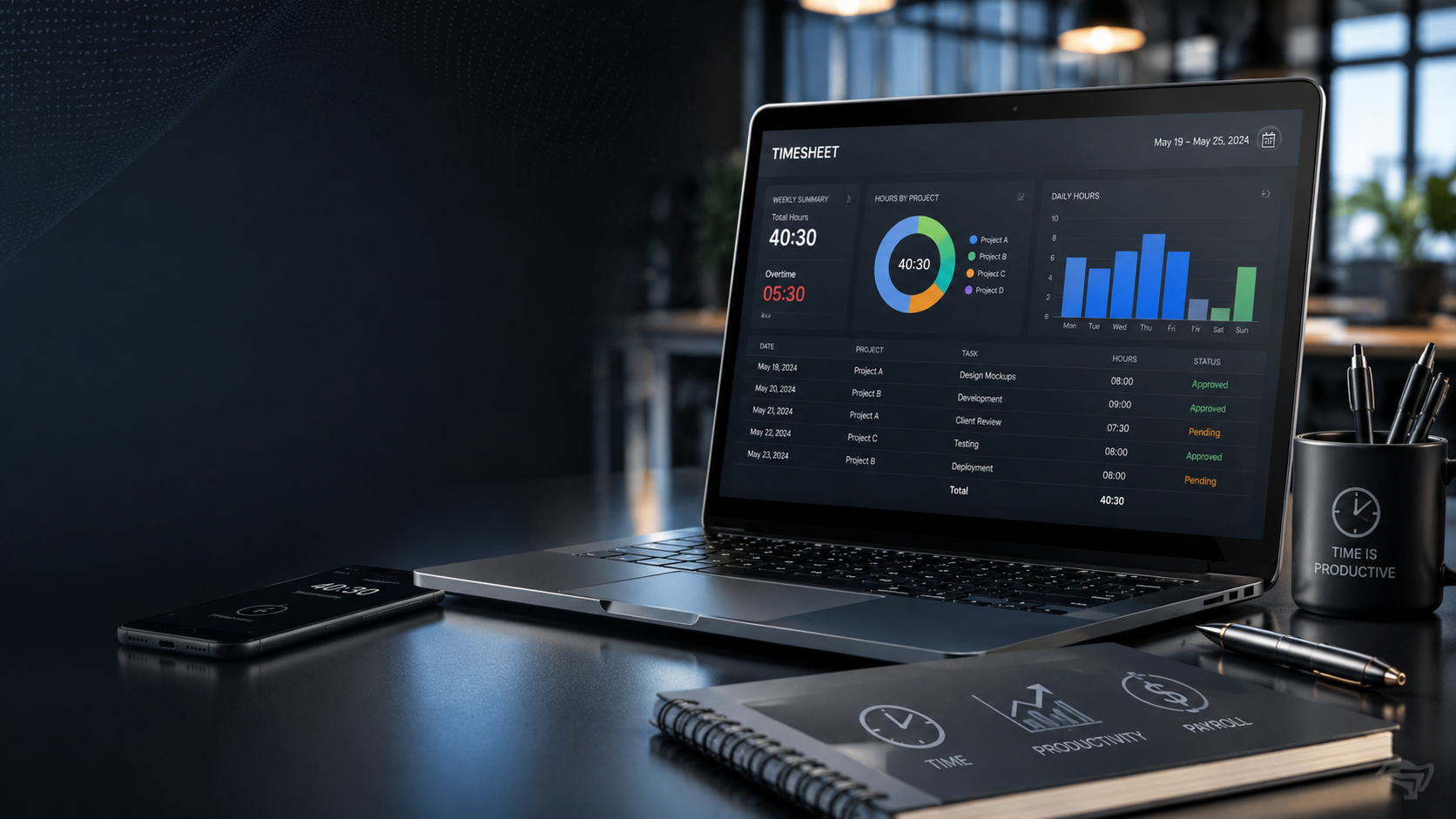
Understanding Timesheets: Why They Matter More Than Most People Realize
Time is one of the few resources every business shares equally. Whether you’re a freelancer billing clients, a manager overseeing a remote team, or a business owner processing payroll, knowing how work hours are spent can have a direct impact on profitability, accountability, and operational efficiency.
That is where timesheets come in.
At first glance, a timesheet may seem like a simple record of hours worked. Yet behind this straightforward tool lies a system that helps organizations manage labor costs, improve project planning, ensure legal compliance, and gain deeper visibility into workforce productivity.
Many people encounter timesheets for the first time when starting a new job. Others discover them when launching a freelance career or managing employees. In both cases, confusion often follows. Are timesheets only for payroll? Do salaried employees need them? How do digital timesheets differ from traditional paper records? And why do so many businesses invest heavily in time-tracking systems?
The answers reveal that timesheets are far more than administrative paperwork. They serve as a critical bridge between work performed and business outcomes.
This guide explains everything you need to know about timesheets, including how they work, why companies use them, different types of timesheets, best practices, common mistakes, and practical examples from real-world workplaces.
What Is a Timesheet?
A timesheet is a document, form, or digital record used to track the amount of time an employee, contractor, freelancer, or team member spends working during a specific period.
The primary purpose of a timesheet is to record:
- Start and end times
- Total hours worked
- Break periods
- Overtime hours
- Time spent on specific projects or tasks
- Billable and non-billable work
A timesheet can cover:
- Daily work hours
- Weekly work schedules
- Biweekly pay periods
- Monthly reporting cycles
In simple terms, a timesheet answers a fundamental business question:
“How was working time spent?”
Quick Definition
| Term | Definition |
|---|---|
| Timesheet | A record of hours worked during a specific period |
| Time Tracking | The process of monitoring work time |
| Payroll Timesheet | A timesheet used to calculate employee wages |
| Project Timesheet | A timesheet used to track project-related hours |
| Billable Hours | Hours charged directly to a client |
| Overtime | Hours worked beyond regular working limits |
The Purpose of a Timesheet
Many people assume timesheets exist solely for payroll processing. While payroll is a major reason, modern organizations use timesheets for much more.
Payroll Accuracy
Employers need accurate records to determine:
- Regular pay
- Overtime pay
- Holiday pay
- Bonuses
- Shift differentials
Without reliable time records, payroll errors become inevitable.
Project Management
Managers use timesheets to understand:
- How long tasks actually take
- Resource allocation efficiency
- Project profitability
- Team workload distribution
This information helps organizations make smarter planning decisions.
Client Billing
For service-based businesses, time often equals revenue.
Examples include:
- Law firms
- Consulting agencies
- Marketing companies
- Software development firms
- Accounting practices
Timesheets allow organizations to bill clients accurately based on actual work performed.
Compliance and Legal Protection
Labor laws in many countries require employers to maintain records of employee working hours.
Accurate timesheets help organizations:
- Demonstrate compliance
- Resolve wage disputes
- Verify overtime claims
- Protect against legal challenges
Productivity Analysis
Timesheets provide valuable operational insights, such as:
- Which activities consume the most time
- Where inefficiencies occur
- Which projects generate the highest return
How a Timesheet Works
A timesheet follows a relatively simple process.
Step 1: Employee Records Work Time
An employee logs:
- Clock-in time
- Clock-out time
- Break duration
- Task or project details
Step 2: Data Is Reviewed
Managers or supervisors verify:
- Accuracy
- Attendance
- Overtime requests
- Project allocations
Step 3: Information Is Processed
The recorded hours are used for:
- Payroll calculations
- Client invoices
- Productivity reports
- Workforce planning
Step 4: Data Is Stored
Organizations retain timesheet records for:
- Compliance purposes
- Historical analysis
- Financial audits
Types of Timesheets
Not all timesheets serve the same purpose.
Daily Timesheets
Employees record activities and hours every day.
Best for:
- Construction
- Manufacturing
- Healthcare
- Field services
Advantages
- High accuracy
- Detailed reporting
- Immediate corrections
Challenges
- Requires consistent updates
Weekly Timesheets
Employees submit hours at the end of each week.
Common among:
- Office workers
- Remote teams
- Agencies
Advantages
- Easy administration
- Reduced paperwork
Challenges
- Employees may forget details
Biweekly Timesheets
Often aligned with payroll schedules.
Suitable for:
- Medium-sized businesses
- Corporate environments
Benefits
- Simplified payroll management
- Consistent reporting periods
Monthly Timesheets
Used primarily for:
- Contractors
- Consultants
- Long-term project reporting
Benefits
- Reduced administrative effort
Drawbacks
- Lower accuracy if entries are delayed
Project-Based Timesheets
Focus on tracking time spent on specific assignments.
Example:
| Project | Hours |
| Website Design | 12 |
| Client Meetings | 4 |
| Content Creation | 8 |
This approach helps businesses evaluate project profitability.
Traditional vs Digital Timesheets
The evolution of workplace technology has transformed time tracking.
Traditional Paper Timesheets
Employees manually write:
- Dates
- Hours worked
- Signatures
Pros
- Simple
- Low cost
- No software required
Cons
- Human error
- Difficult reporting
- Time-consuming processing
- Risk of lost records
Spreadsheet Timesheets
Organizations often use:
- Microsoft Excel
- Google Sheets
Pros
- Affordable
- Flexible
- Easy customization
Cons
- Manual data entry
- Formula mistakes
- Limited automation
Digital Time Tracking Software
Modern solutions automate the process.
Features often include:
- Automatic timers
- Mobile apps
- GPS tracking
- Project tracking
- Payroll integration
- Real-time reporting
Advantages
- Higher accuracy
- Reduced administrative work
- Better analytics
Challenges
- Subscription costs
- Training requirements
What Information Is Included in a Timesheet?
A typical timesheet contains several key elements.
| Field | Purpose |
| Employee Name | Identifies worker |
| Employee ID | Internal reference |
| Date | Workday record |
| Start Time | Shift beginning |
| End Time | Shift ending |
| Break Time | Meal/rest periods |
| Total Hours | Hours worked |
| Project Code | Task tracking |
| Overtime Hours | Additional work time |
| Approval Signature | Verification |
Organizations may customize these fields according to their needs.
Who Uses Timesheets?
Timesheets are used across nearly every industry.
Employees
Track attendance and hours worked.
Freelancers
Record billable hours for client invoicing.
Consultants
Document project contributions.
Project Managers
Monitor project progress and resource utilization.
Human Resources Teams
Support payroll and compliance.
Business Owners
Analyze labor costs and workforce efficiency.
Real-World Timesheet Examples
Freelance Graphic Designer
Sarah charges clients $50 per hour.
Her weekly timesheet shows:
| Activity | Hours |
| Logo Design | 8 |
| Client Calls | 2 |
| Revisions | 4 |
Total Hours = 14
Invoice Amount = 14 × $50 = $700
Without a timesheet, accurate billing becomes difficult.
Software Development Team
A development team tracks hours across projects.
Results show:
| Project | Hours |
| App Development | 120 |
| Bug Fixes | 30 |
| Meetings | 25 |
Management discovers meetings consume significant time and adjusts workflows.
Construction Company
Workers submit daily timesheets showing:
- Site location
- Hours worked
- Equipment usage
- Overtime
This information supports payroll and project cost estimation.
Benefits of Using Timesheets
Organizations that consistently track time often gain significant operational advantages.
Improved Payroll Accuracy
Fewer disputes and fewer calculation errors.
Better Budget Management
Managers can compare planned labor costs against actual costs.
Increased Accountability
Employees and managers gain visibility into work activities.
Enhanced Productivity
Time-tracking data often reveals hidden inefficiencies.
Stronger Project Planning
Future estimates become more accurate when based on historical data.
Better Client Transparency
Clients can see how billable work was performed.
Common Timesheet Mistakes
Even experienced professionals make errors when recording time.
Filling Out Timesheets Days Later
Memory is unreliable.
Hours recorded from memory are often inaccurate.
Better Approach
Update timesheets daily.
Ignoring Small Tasks
Short activities add up quickly.
Examples:
- Emails
- Calls
- Administrative work
These should be tracked when relevant.
Misclassifying Projects
Incorrect project allocation creates misleading reports.
Forgetting Breaks
Unrecorded breaks can distort payroll calculations.
Estimating Instead of Tracking
Guessing creates unreliable data.
Use real-time tracking whenever possible.
Timesheets and Remote Work
Remote work has dramatically increased the importance of timesheets.
Managers can no longer rely on physical presence as a measure of activity.
Instead, timesheets provide:
- Work visibility
- Project tracking
- Resource planning
- Client reporting
However, successful remote organizations avoid using timesheets as surveillance tools.
The goal is to understand work allocation, not micromanage employees.
Expert Analysis: Why Modern Businesses Still Depend on Timesheets
Many workplace trends emphasize outcomes over hours.
That raises an interesting question:
If results matter most, why do timesheets remain so common?
The answer lies in economics.
Businesses need measurable inputs to evaluate performance, forecast costs, and allocate resources.
Even highly creative industries require visibility into:
- Labor expenses
- Project profitability
- Team capacity
- Client billing
Timesheets provide the operational data needed to make those decisions.
Organizations that ignore time-tracking often struggle with:
- Underpriced projects
- Budget overruns
- Resource shortages
- Payroll disputes
The strongest companies balance outcome-focused management with accurate time records.
They use timesheets as decision-making tools rather than control mechanisms.
Best Practices for Effective Timesheet Management
Record Time Daily
Accuracy improves dramatically when entries are made in real time.
Standardize Categories
Use consistent project names and codes.
Automate Where Possible
Digital tools reduce manual errors.
Train Employees Properly
Clear guidelines improve compliance.
Review Regularly
Managers should verify records before payroll processing.
Focus on Insights
Use timesheet data to improve operations, not merely collect information.
Timesheet Checklist
Use this checklist to maintain accurate records:
Daily Timesheet Checklist
Record start time
Record end time
Log breaks
Assign work to correct project
Track overtime separately
Review entries before submission
Submit on schedule
Retain supporting documentation if required
Timesheet vs Time Tracker: What’s the Difference?
Many people use these terms interchangeably.
They are related but not identical.
| Feature | Timesheet | Time Tracker |
| Purpose | Record hours | Capture hours automatically |
| Format | Document or report | Tool or software |
| Manual Entry | Often | Less common |
| Payroll Support | Yes | Usually |
| Project Tracking | Yes | Usually |
| Automation | Limited | Extensive |
A time tracker often generates the timesheet automatically.
Frequently Asked Questions (FAQs)
What is a timesheet used for?
A timesheet is used to record work hours, manage payroll, track project time, calculate billable hours, and improve workforce planning.
Are timesheets required by law?
Requirements vary by country and industry. Many employers must maintain accurate records of employee working hours to comply with labor regulations.
What is the difference between a timesheet and attendance tracking?
Attendance tracking confirms whether an employee was present. A timesheet records how working time was spent, including tasks and projects.
Do salaried employees need timesheets?
Many organizations require salaried employees to complete timesheets for project tracking, budgeting, and resource management purposes.
Can freelancers use timesheets?
Yes. Freelancers often use timesheets to track billable hours and create accurate client invoices.
How often should a timesheet be updated?
Daily updates are considered the best practice because they provide the highest level of accuracy.
What are billable hours on a timesheet?
Billable hours are work hours that can be charged directly to a client under a contract or service agreement.
Are digital timesheets better than paper timesheets?
Digital timesheets typically provide greater accuracy, automation, reporting capabilities, and integration with payroll systems.
How do timesheets improve productivity?
They reveal how time is allocated across tasks and projects, helping organizations identify inefficiencies and optimize workflows.
What industries use timesheets the most?
Common examples include construction, consulting, legal services, accounting, healthcare, software development, engineering, and professional services.
Final Thoughts
A timesheet is much more than a record of hours worked. It is a practical business tool that connects employee effort, project performance, payroll accuracy, and financial decision-making.
For freelancers, timesheets help ensure every billable hour is accounted for. For managers, they reveal how resources are being used. For organizations, they provide the data needed to control costs, improve planning, and maintain compliance.
Whether tracked on paper, in a spreadsheet, or through sophisticated software, an effective timesheet creates clarity. And in business, clarity often translates directly into efficiency, profitability, and better decisions.
About the Author





1 thought on “What Is a Timesheet? A Complete Guide to Tracking Work Hours, Productivity, and Payroll”