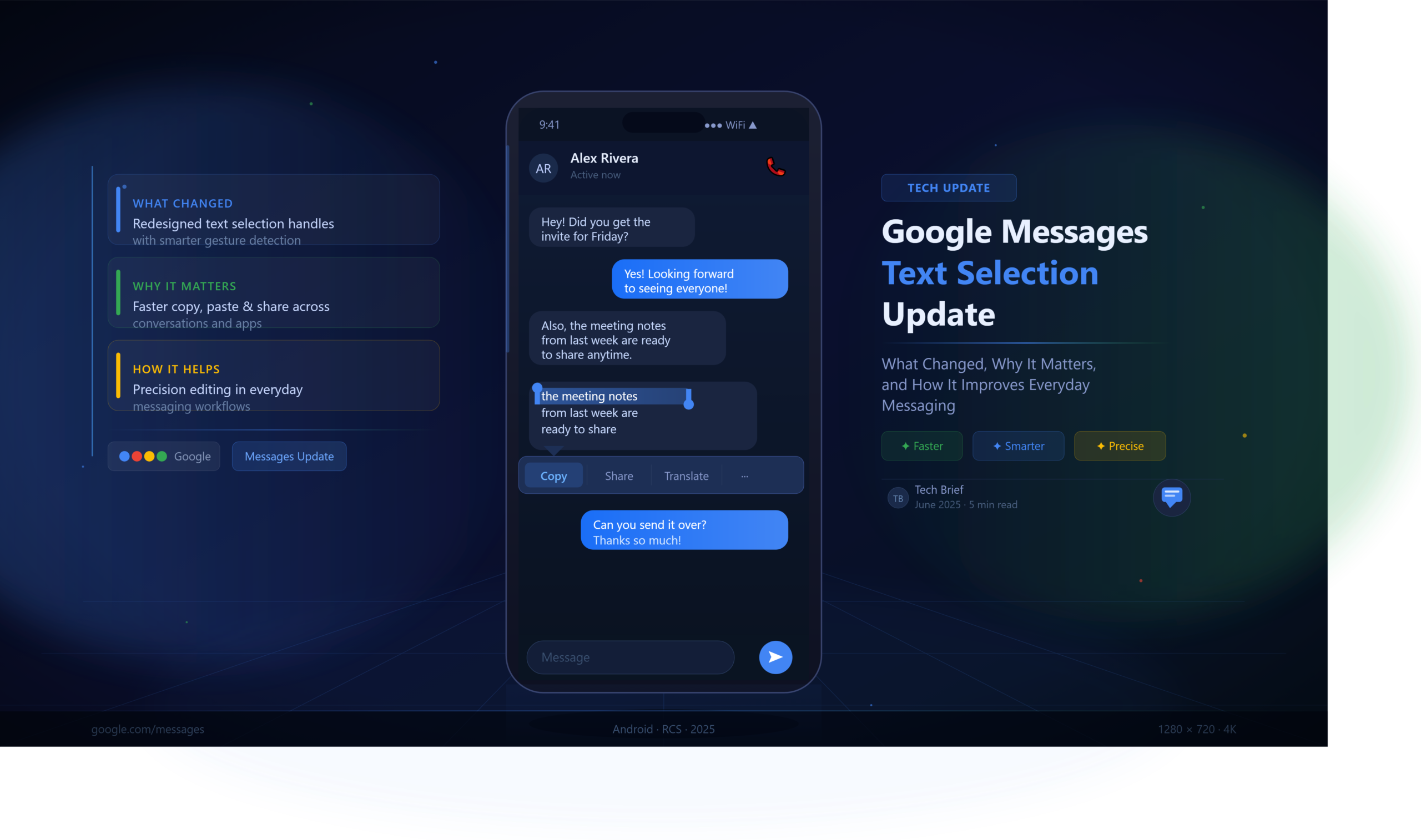
Google Messages Text Selection Update: A Small Change With a Big Impact
For years, Android users have relied on Google Messages as the default messaging platform for SMS, MMS, and Rich Communication Services (RCS). While major updates often focus on AI-powered features, encryption, or cross-platform compatibility, some of the most meaningful improvements come from seemingly simple usability enhancements.
The Google Messages text selection update falls squarely into that category.
At first glance, the ability to select text more easily inside conversations might not sound revolutionary. Yet anyone who has ever struggled to copy a tracking number, extract an address from a long message, save a verification code, or quote a specific portion of a conversation understands how valuable better text selection can be.
This update addresses one of the most persistent frustrations Android users have experienced for years: accurately selecting and copying specific text from messages without copying the entire message bubble.
As messaging increasingly serves as a hub for work communication, customer support, online shopping, banking alerts, and personal conversations, efficient text interaction has become more important than many people realize.
This guide examines the Google Messages text selection update in detail, including how it works, why Google introduced it, what benefits users can expect, common misconceptions surrounding the feature, and how it fits into the broader evolution of Android messaging.
Understanding Google Messages
Before discussing the update itself, it’s useful to understand where Google Messages sits within the Android ecosystem.
Google Messages is Google’s official messaging application designed for:
- SMS messaging
- MMS messaging
- RCS chats
- Group conversations
- Multimedia sharing
- Business messaging
- Verification code management
Over the last several years, Google has transformed Messages from a basic texting app into a communication platform capable of competing with modern messaging services.
Major improvements have included:
- End-to-end encryption
- RCS support
- Message reactions
- AI-powered suggestions
- Spam protection
- Enhanced media sharing
- Cross-device synchronization
The text selection update represents another step toward making the app more practical for daily communication.
What Is the Google Messages Text Selection Update?
The Google Messages text selection update introduces improved methods for selecting specific portions of text within message conversations.
Previously, users often encountered limitations when trying to copy only a particular sentence, number, link, or paragraph from a message.
Common frustrations included:
- Copying entire message bubbles instead of selected text
- Difficulty selecting precise words
- Inconsistent behavior across message types
- Challenges extracting information from lengthy messages
The update aims to create a more intuitive and desktop-like text selection experience.
Users can more easily:
- Highlight individual words
- Select specific phrases
- Copy partial message content
- Extract links
- Save phone numbers
- Copy addresses
- Capture tracking information
- Share snippets of conversations
Rather than treating a message as a single block, the update gives users greater control over the exact content they want to interact with.
Why Google Introduced This Change
Text messaging has evolved dramatically.
Messages are no longer limited to short conversations between friends and family.
Today, messages frequently contain:
| Message Type | Examples |
|---|---|
| Business Messages | Delivery updates, receipts |
| Authentication | One-time passwords (OTPs) |
| Customer Support | Ticket references |
| Travel Information | Boarding details |
| Financial Alerts | Transaction notifications |
| Shopping Updates | Tracking numbers |
| Professional Communication | Meeting information |
As the complexity of messaging increased, user expectations changed as well.
People increasingly wanted to:
- Copy only a specific code
- Quote a sentence
- Save a phone number
- Share part of a conversation
- Reference specific information later
The traditional “copy entire message” approach no longer matched how users actually interact with messages.
The text selection update reflects Google’s recognition of these changing communication habits.
Key Improvements Introduced by the Update
1. More Precise Text Selection
One of the most significant improvements is greater precision.
Instead of copying an entire message bubble, users can target specific sections.
For example:
A delivery message may contain:
- Order number
- Tracking link
- Estimated delivery date
- Customer support information
Users can select only the tracking number without copying unrelated details.
This reduces friction and improves productivity.
2. Easier Copy-and-Paste Workflows
Many users move information between applications.
Common scenarios include:
- Copying addresses into navigation apps
- Copying phone numbers into contacts
- Saving verification codes
- Sharing information via email
- Adding details to notes apps
Improved text selection streamlines these workflows.
What previously required multiple steps can now often be completed in seconds.
3. Better Handling of Long Messages
Long messages historically created challenges.
Examples include:
- Event invitations
- Business announcements
- Group updates
- Technical instructions
Selecting a specific sentence from a lengthy message could be difficult.
The updated experience improves navigation and selection accuracy, particularly within large blocks of text.
4. Improved User Accessibility
Accessibility improvements are often overlooked when discussing interface updates.
However, more accurate text selection benefits users who:
- Have motor control limitations
- Use larger font sizes
- Depend on accessibility features
- Interact with messages extensively for work
Small usability improvements can significantly reduce frustration for these users.
Real-World Use Cases
Receiving Verification Codes
Imagine receiving this message:
“Your verification code is 847291. Do not share this code with anyone.”
Without improved text selection, users may copy the entire message.
With enhanced selection, they can quickly grab only:
847291
This saves time and reduces mistakes.
Tracking Online Orders
A shipping notification may include:
- Carrier information
- Tracking number
- Delivery estimate
- Support details
Users typically need only the tracking number.
The update makes extracting that information easier.
Sharing Meeting Details
Consider a work message containing:
- Meeting time
- Video conference link
- Agenda
- Contact information
Instead of forwarding the entire message, users can share only the relevant section.
This creates cleaner communication.
Saving Addresses
When someone sends:
“Let’s meet at 225 Market Street at 6 PM.”
Users can directly select the address and paste it into a navigation application.
The process becomes faster and more accurate.
How This Update Supports RCS Messaging
The evolution of Google Messages is closely tied to RCS.
Rich Communication Services introduces features such as:
- Typing indicators
- Read receipts
- High-quality media
- Reactions
- Improved group chats
As RCS conversations become more sophisticated, message content becomes richer and more detailed.
Consequently, users require better tools for interacting with that information.
Enhanced text selection complements RCS by making conversations more functional rather than merely conversational.
Comparison: Old Experience vs New Experience
| Feature | Previous Experience | Updated Experience |
| Copy Specific Text | Limited | Improved |
| Selecting Single Words | Inconsistent | More Accurate |
| Handling Long Messages | Difficult | Easier |
| Sharing Snippets | Less Flexible | More Flexible |
| Productivity Use Cases | Basic | Enhanced |
| Business Information Extraction | More Steps Required | Faster |
The difference may appear subtle, but the cumulative impact on daily usage can be substantial.
Expert Analysis: Why Small UX Updates Matter More Than Major Features
Technology headlines often focus on dramatic innovations:
- Artificial intelligence
- New hardware
- Advanced integrations
- Platform-wide redesigns
Yet product adoption frequently depends on something much simpler: reducing friction.
User experience research consistently shows that people judge software based on how smoothly everyday tasks are completed.
A feature used twenty times per day often matters more than a feature used once per month.
Text selection belongs to that category.
Every time users:
- Copy information
- Share content
- Save details
- Quote messages
they interact directly with the text selection system.
When that process becomes easier, the entire application feels more polished.
This is why seemingly minor updates often generate disproportionately positive user feedback.
Common Misconceptions About the Google Messages Text Selection Update
Myth 1: It’s Just a Cosmetic Change
Reality:
The update affects functionality and workflow efficiency, not just appearance.
Myth 2: Only Power Users Benefit
Reality:
Anyone who copies addresses, codes, links, or contact information can benefit.
Myth 3: The Feature Only Matters for Business Messages
Reality:
Personal conversations frequently contain information users want to save or share.
Myth 4: It Replaces Existing Copy Functions
Reality:
The update enhances selection capabilities rather than eliminating traditional copy options.
How to Use Improved Text Selection in Google Messages
While exact behavior may vary depending on device version and rollout stage, the general process is straightforward:
Step 1
Open a conversation inside Google Messages.
Step 2
Locate the message containing the text you want.
Step 3
Press and hold the text area.
Step 4
Adjust selection handles if available.
Step 5
Highlight the exact content needed.
Step 6
Choose:
- Copy
- Share
- Search
- Translate
- Other available actions
The experience is designed to feel more natural and responsive than earlier implementations.
Best Practices for Getting the Most From the Feature
Use It for Verification Codes
Copy only the code rather than the entire message.
Save Important Information Quickly
Addresses, links, and reference numbers become easier to manage.
Reduce Communication Clutter
Share only relevant portions of messages.
Improve Productivity
Extract information directly into:
- Notes apps
- Calendars
- Navigation tools
- Customer support forms
Organize Information Efficiently
Keep records cleaner by storing only the details you actually need.
The Broader Direction of Google Messages
The text selection update reflects a larger strategy.
Google continues positioning Messages as:
- A modern communication platform
- A productivity tool
- A business messaging hub
- A central component of Android communication
Recent development trends suggest Google is focusing on:
- Better usability
- AI assistance
- Enhanced RCS experiences
- Improved message management
- Cross-device functionality
- User-centered design improvements
Text selection fits naturally within this roadmap.
Rather than adding complexity, it removes friction.
That approach often delivers the greatest long-term value.
What Users Are Saying
Early reactions to improved text selection functionality generally center around convenience.
Users frequently highlight:
- Easier copying of OTP codes
- Faster sharing of information
- Reduced frustration
- Improved message usability
- Better handling of long texts
The feedback illustrates a common principle in software design: practical improvements often resonate more strongly than flashy additions.
Frequently Asked Questions
What is the Google Messages text selection update?
It is an enhancement that allows users to more accurately select, copy, and interact with specific portions of text inside message conversations.
Why did Google add better text selection?
Google introduced the feature to improve usability, productivity, and information management within messages.
Does the update work with RCS chats?
Yes. Improved text interaction benefits both traditional messaging and RCS conversations.
Can I copy only part of a message now?
In supported versions, users can select specific words, phrases, or sections instead of copying entire messages.
Is the feature available on all Android phones?
Availability may vary depending on device model, Android version, and rollout schedule.
Does improved text selection affect message privacy?
No. The update focuses on user interaction and does not change message encryption or privacy settings.
Can I use the feature for OTP and verification codes?
Yes. This is one of the most useful applications of enhanced text selection.
Does the update improve accessibility?
For many users, improved selection controls make message interaction easier and more precise.
Will Google continue improving Messages?
Google regularly updates Messages with new functionality, usability enhancements, and RCS-related features.
Is this a major update?
While technically a usability improvement, many users consider it highly impactful because it affects everyday interactions.
Final Thoughts
The Google Messages text selection update demonstrates how thoughtful user experience improvements can significantly enhance a product without dramatically changing its appearance.
Selecting, copying, and sharing text are among the most common actions performed inside messaging applications. When those actions become easier, faster, and more precise, the benefits accumulate quickly across thousands of daily interactions.
For Android users who regularly handle verification codes, addresses, tracking numbers, business communications, and lengthy conversations, the update transforms a previously frustrating task into a smoother experience. It may not generate the same excitement as AI features or major platform announcements, but its practical value is undeniable.
As Google continues refining the Messages ecosystem and expanding RCS capabilities, improvements like enhanced text selection reveal a clear design philosophy: the best messaging experience isn’t only about adding new features—it’s about making existing tasks feel effortless.
About the Author




1 thought on “Google Messages Text Selection Update: What Changed, Why It Matters, and How It Improves Everyday Messaging”