Introduction
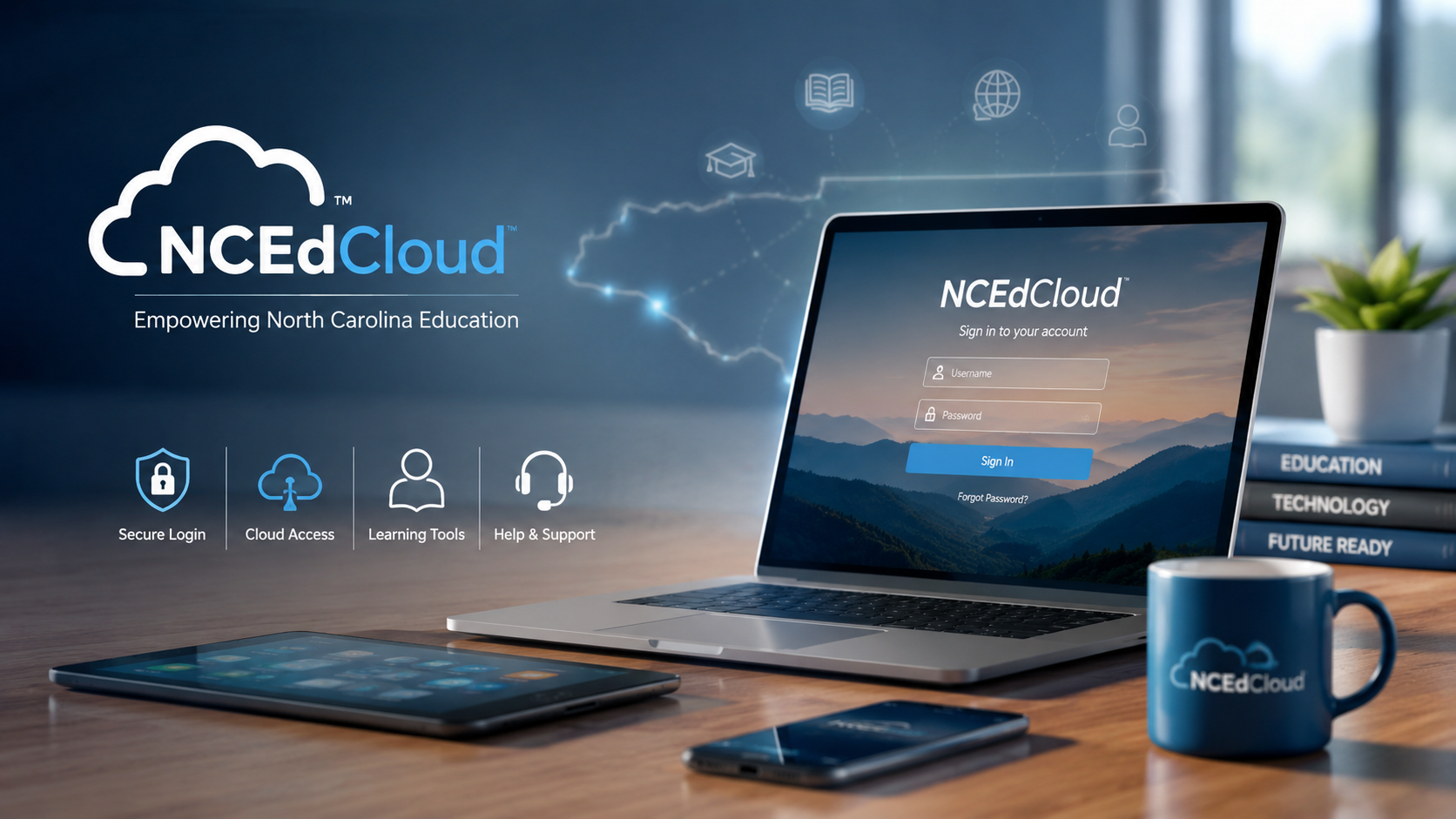
For students, teachers, and school staff in North Carolina, accessing several educational services can become difficult when every platform requires a different account. NCEdCloud is designed to simplify that process by providing a centralized identity and access management service for participating education users.
Instead of treating every educational application as a completely separate login, NCEdCloud can act as the authentication layer that connects eligible users with supported digital resources. North Carolina Department of Public Instruction (NCDPI) materials describe NCEdCloud as an Identity and Access Management (IAM) service, while current NCDPI resources show that services such as Canvas and other educational resources can be integrated with it.
This guide explains what NCEdCloud is, how the login process works, what you can access through it, its advantages and limitations, and what to do when you cannot sign in.
Important: NCEdCloud access depends on your school, district, role, and the services your public school unit makes available. Not every student, teacher, or application necessarily has identical access.
Table of Contents
- What Is NCEdCloud?
- How NCEdCloud Works
- Who Uses NCEdCloud?
- How to Log In to NCEdCloud
- What Can You Access Through NCEdCloud?
- NCEdCloud and Single Sign-On
- NCEdCloud Security and MFA
- Common NCEdCloud Login Problems
- NCEdCloud vs. Other Education Platforms
- Advantages and Limitations
- How Schools Benefit From NCEdCloud
- Frequently Asked Questions
- Conclusion
What Is NCEdCloud?
NCEdCloud is North Carolina’s education-focused Identity and Access Management (IAM) service. Its purpose is to provide eligible users with a centralized identity that can be used to authenticate to supported cloud-based educational applications.
The concept is straightforward: instead of every educational service independently managing a user’s identity, NCEdCloud provides an authentication and access layer between the user and participating applications.
NCDPI documentation describes the service as providing students, teachers, and staff with a unique username and password for accessing cloud-based learning resources. Applications can then use the IAM service to authenticate and authorize users.
This makes NCEdCloud different from a traditional learning management system.
NCEdCloud is primarily an identity and access service, not a complete replacement for classroom software.
For example, NCDPI states that its Canvas environment is integrated with the NCEdCloud IAM Service.
Why NCEdCloud Matters
Modern schools often use numerous digital systems for:
- Learning management
- Educational research
- Student information
- Assessments
- Professional development
- Digital literacy
- Instructional resources
- Collaboration
Without centralized authentication, users may have to remember several credentials.
NCEdCloud helps reduce that complexity for supported applications.
How NCEdCloud Works
The basic process can be understood in four stages:
- A user receives an NCEdCloud identity.
- The user signs in through NCEdCloud.
- NCEdCloud verifies the user’s identity.
- The user can access applications for which they are authorized.
The exact applications displayed can differ according to the user’s role and the services enabled by their school or public school unit.
This is important because seeing NCEdCloud on a website does not automatically mean every user can access that particular application.
NCEdCloud as an Authentication Layer
Think of NCEdCloud as a secure doorway rather than the classroom itself.
For example:
Student → NCEdCloud → Authorized educational application
The educational application remains responsible for providing its own features and content.
NCEdCloud handles the identity and access component.
Application Integration
NCDPI’s current materials demonstrate this model with several educational services. Canvas, for example, is integrated with NCEdCloud, while #GoOpenNC is also accessible through an icon on an NC educator’s NCEdCloud dashboard.
Who Uses NCEdCloud?
NCEdCloud is designed for eligible members of North Carolina’s education community.
Depending on the service and local implementation, this can include:
- Students
- Teachers
- School administrators
- Education staff
- Other authorized users
However, access is role-based.
A teacher may see different applications from a student. A school administrator may have access to additional administrative tools.
Therefore, two people attending schools in North Carolina should not assume their NCEdCloud dashboards will look identical.
How to Log In to NCEdCloud
The official NCEdCloud service is available through the NCEdCloud website. NCDPI specifically directs users to my.ncedcloud.org for resources available through NCEdCloud.
Basic Login Steps
- Open the official NCEdCloud login page.
- Enter your assigned NCEdCloud username.
- Enter your password.
- Complete any additional authentication step required for your account.
- Select the appropriate application from your dashboard.
Use the official NCEdCloud address rather than an unfamiliar third-party login page.
This is particularly important because education accounts can provide access to sensitive school and student information.
What If You Do Not Know Your Username?
If you do not know your NCEdCloud username, do not guess repeatedly.
Your school or district may have specific procedures for account recovery and student or staff identity verification.
For account-specific assistance, your school or district’s designated NCEdCloud support contact is generally the best starting point.
NCDPI also provides technical support for IAM/SSO, including NCEdCloud, through its support system.
What Can You Access Through NCEdCloud?
NCEdCloud itself is not a single giant educational content library. Instead, it can provide access to different applications and resources depending on your authorization.
NCDPI currently lists several educational resources connected to its broader digital ecosystem.
Canvas
Canvas is a learning management system used to organize digital learning.
NCDPI states that its Canvas environment is integrated with NCEdCloud. Educators can use Canvas for professional learning, collaboration, course materials, announcements, assignments, calendars, and other learning-management functions.
EBSCO and Britannica
NCDPI provides access to research and reference resources through its educational ecosystem. Current NCDPI materials identify EBSCO and Britannica as resources available to students and educators.
These services can be particularly useful for:
- Research projects
- Reference material
- Classroom assignments
- Background reading
- Academic information
#GoOpenNC
#GoOpenNC is an open educational resources platform.
NCDPI explains that the #GoOpenNC icon can appear on an NC educator’s NCEdCloud dashboard, reflecting its integration with the state’s single-sign-on service.
Its resources can support:
- Curriculum planning
- Open educational resources
- Resource discovery
- Collaboration
- Content creation
- Professional learning
Schoolnet
Schoolnet is an instructional improvement system used by North Carolina public schools.
NCDPI describes capabilities including lesson planning, student workspaces, assessment creation, reporting, data analysis, and instructional resources.
NCEES and Other Services
NCEdCloud can also be part of the authentication ecosystem surrounding educator and administrative services.
The exact applications available depend on the user’s role and the programs adopted by the relevant public school unit.
NCEdCloud and Single Sign-On
One of the biggest reasons NCEdCloud is useful is its relationship with single sign-on (SSO).
Single sign-on allows a user to authenticate through one identity service and then access multiple compatible applications without separately managing credentials for every service.
A Simple Example
Imagine a teacher needs to use:
- Canvas
- Research databases
- Professional-learning resources
- Instructional tools
Without SSO, each service could require its own account.
With an integrated identity system, the teacher can authenticate through NCEdCloud and access applications that have been connected to the account.
This can save time and reduce password-management problems.
SSO Does Not Mean Unlimited Access
A common misunderstanding is that an NCEdCloud account automatically unlocks every educational application.
That is not how authorization works.
Your school or public school unit must provide the relevant application, and your account must have the appropriate permissions.
NCEdCloud Security and MFA
Security is especially important in education because school systems handle information associated with students, teachers, and staff.
NCEdCloud supports multi-factor authentication (MFA) for certain privileged roles.
NCEdCloud documentation explains that MFA is used as an additional security measure to protect employee and student data. The documentation identifies privileged roles such as LEA administrators, LEA data auditors, and certain help-desk roles as requiring MFA.
How MFA Works
MFA adds another verification step beyond a username and password.
For supported NCEdCloud roles, the authentication process can involve a six-digit one-time password (OTP). NCEdCloud’s MFA documentation explains that these codes change and are time-limited.
This makes it substantially harder for someone to gain access using only a stolen password.
Do All Users Need MFA?
No.
The NCEdCloud documentation specifically distinguishes privileged roles from ordinary users and states that teachers are not required to use MFA unless they have one of the specified privileged roles.
Requirements can change, so users should follow the current instructions provided by NCEdCloud or their school system.
Common NCEdCloud Login Problems
Even a centralized login system can experience account or access problems.
Here are some of the most common situations.
1. Incorrect Username or Password
The simplest explanation is often an incorrect credential.
Check:
- Username spelling
- Password spelling
- Caps Lock
- Keyboard language
- Extra spaces
- Whether you are using the correct school account
Avoid repeatedly entering passwords if you are unsure of the correct credentials.
2. Forgotten Password
If you cannot remember your password, use the official account-recovery options available to you.
If recovery is unavailable or unsuccessful, contact your school’s designated technical support person.
NCDPI provides technical support resources for IAM/SSO and NCEdCloud.
3. MFA or OTP Problems
Privileged users may encounter problems when their MFA device or authentication application is unavailable.
Check that:
- Your authentication device is working.
- The generated code is current.
- Your device’s time is correct.
- You are entering the current code rather than an expired one.
If the problem continues, contact the appropriate NCEdCloud or district support team.
4. An Application Is Missing
If you can sign in but cannot find a particular application, that does not necessarily mean NCEdCloud is malfunctioning.
The application may:
- Not be provided by your school
- Require a different role
- Require additional authorization
- Be temporarily unavailable
- Have been removed or changed by your school or district
Ask your teacher, school technology coordinator, or district administrator whether the application should appear for your account.
5. The Application Opens but Does Not Work
Sometimes NCEdCloud authentication succeeds while the destination application has its own problem.
For example, NCDPI reported in May 2026 that access to Canvas through NCEdCloud was temporarily disabled while a cybersecurity environment was reviewed. NCDPI later stated that services had been restored to normal operations, while public school units determined when to re-enable Canvas locally.
This illustrates an important point:
An NCEdCloud login issue and an individual application’s outage are not necessarily the same problem.
How to Troubleshoot NCEdCloud Access
If you cannot reach a service, work through the following checklist.
Step 1: Verify the Official Login Page
Make sure you are using the legitimate NCEdCloud website.
Avoid entering your credentials into websites that merely look similar.
Step 2: Test Your Credentials
Try logging in again carefully.
Check capitalization and keyboard settings.
Step 3: Check Your Browser
If the login page behaves strangely:
- Refresh the page
- Close unnecessary tabs
- Try another supported browser
- Clear cached site data if necessary
- Restart the browser
Step 4: Determine Whether the Problem Is Specific to One Application
If NCEdCloud loads correctly but one application fails, the issue may be with that application rather than your NCEdCloud identity.
Step 5: Contact School or District Support
For account-specific problems, your school’s technical support team can verify whether your account is active and properly assigned.
NCDPI also lists technical support for IAM/SSO and NCEdCloud. Its current support page provides online support and a telephone option for NCDPI technical support.
NCEdCloud vs. Other Education Platforms
It is useful to distinguish NCEdCloud from other educational technologies.
| Service Type | Main Purpose | Typical Function |
|---|---|---|
| NCEdCloud | Identity and access | Authentication and application access |
| Canvas | Learning management | Courses, assignments, learning content |
| Schoolnet | Instructional improvement | Assessments, planning, reporting |
| #GoOpenNC | Open education | Educational resources and collaboration |
| Research databases | Academic research | Articles, reference information and research |
The key distinction is that NCEdCloud is primarily the identity layer.
For example, Canvas provides learning-management functionality, while NCEdCloud can provide the authentication mechanism that helps an authorized user reach Canvas. NCDPI explicitly identifies this integration.
Advantages and Limitations
Pros
| Advantages | Explanation |
|---|---|
| Centralized access | Users can authenticate through a common education identity |
| Single sign-on | Supported applications can reduce the need for separate credentials |
| Role-based access | Applications can be presented according to user permissions |
| Educational integration | NCEdCloud connects with multiple education services |
| Security controls | MFA is available for designated privileged roles |
| Reduced password burden | Fewer separate accounts can mean easier credential management |
Cons
| Limitations | Explanation |
|---|---|
| Access varies | Users do not necessarily have identical applications |
| School-dependent | Some services depend on local adoption or authorization |
| Account issues can affect multiple services | A central identity problem can prevent access to several applications |
| Not a learning platform itself | NCEdCloud does not replace tools such as Canvas |
| Some support is local | Students and teachers may need their school or district for account-specific help |
How Schools Benefit From NCEdCloud
Centralized identity management can provide benefits beyond convenience.
Easier Account Administration
Managing accounts across numerous educational services can be complicated.
A centralized identity service gives schools and districts a more consistent way to manage authentication.
Better User Experience
Students and educators interact with many digital services during a school year.
Reducing unnecessary login steps can make technology easier to use.
Improved Security
Centralized identity management can support stronger security policies, including MFA for privileged accounts.
Application Integration
NCEdCloud’s value increases when more approved applications can integrate with the identity service.
NCDPI’s strategic planning documentation has also discussed application rostering and integration as part of the NCEdCloud IAM ecosystem.
NCEdCloud and NCED Connect: Are They the Same?
No.
These names can be confusing.
NCEdCloud is an identity and access management service.
NCED Connect is a broader suite of digital tools and instructional resources maintained by NCDPI. NCDPI describes NCED Connect as including tools such as Canvas, EBSCO & Britannica, #GoOpenNC, Learning.com, NCEES, NCSIS, and Schoolnet.
NCEdCloud can serve as the authentication mechanism for supported services within this broader educational environment.
Understanding this distinction makes it easier to diagnose login problems.
Is NCEdCloud Free?
For an individual student or teacher, the question of whether NCEdCloud itself has a user subscription price is different from the funding or contract arrangements for specific educational applications.
NCDPI separately publishes pricing and opt-in information for programs such as NCED Connect.
For the 2026–27 school year, NCDPI states that districts and charter schools opting into the full NCED Connect suite are charged $1.50 per allotted ADM.
That should not be interpreted as a general consumer subscription price for an individual NCEdCloud user.
Frequently Asked Questions
What does NCEdCloud stand for?
NCEdCloud is the name used for North Carolina’s education-focused cloud identity and access management service. Its IAM function provides authentication and access to supported educational applications.
Where do I log in to NCEdCloud?
NCDPI directs users to my.ncedcloud.org for NCEdCloud-accessible resources.
Is NCEdCloud a learning management system?
No. NCEdCloud is primarily an identity and access management service. Learning management systems such as Canvas provide the actual course and learning-management functionality.
Can students use NCEdCloud?
Eligible students can use NCEdCloud when their school or public school unit provisions an account and provides access to supported services.
Do teachers need MFA for NCEdCloud?
Not necessarily. NCEdCloud documentation states that MFA is required for certain privileged roles and that teachers without one of those roles are not required to use MFA under that documented policy.
Why can I log in but not see an application?
Application visibility depends on authorization, role, school or district configuration, and whether the service is available to your public school unit.
What should I do if I forget my NCEdCloud password?
Use the official recovery process available for your account. If that does not resolve the problem, contact your school’s or district’s technical support team.
Is NCEdCloud the same as NCED Connect?
No. NCEdCloud is an identity and access service, while NCED Connect is a broader collection of educational tools and resources offered through NCDPI.
Can NCEdCloud access stop working when an application has an outage?
Yes. An individual application can experience its own outage or security-related interruption even when the NCEdCloud identity service is functioning. NCDPI’s 2026 Canvas incident demonstrated that application availability can be handled separately from authentication.
Who should I contact if my NCEdCloud account does not work?
Start with your school’s or district’s technology support team for account-specific assistance. NCDPI also provides technical support resources for IAM/SSO and NCEdCloud.
Conclusion
NCEdCloud is an important part of North Carolina’s digital education infrastructure because it brings identity and application access into a centralized system. Rather than functioning as another classroom platform, it works primarily behind the scenes to authenticate eligible students, educators, and staff and connect them with supported educational services.
Its biggest practical advantage is simplicity: one education identity can provide access to multiple integrated resources, depending on the user’s role and school configuration.
If you are having trouble, first determine whether the problem is with your NCEdCloud credentials, account permissions, or the application you are trying to open. That distinction can save considerable time.
For the safest approach, always use the official NCEdCloud and NCDPI resources, avoid entering school credentials on unfamiliar websites, and contact your school or district support team when an account-specific problem cannot be resolved.
About the Author


1 thought on “NCEdCloud: Login, Features, Benefits, and Help Guide”