InstaPV Review 2026: Is It Safe to Use?
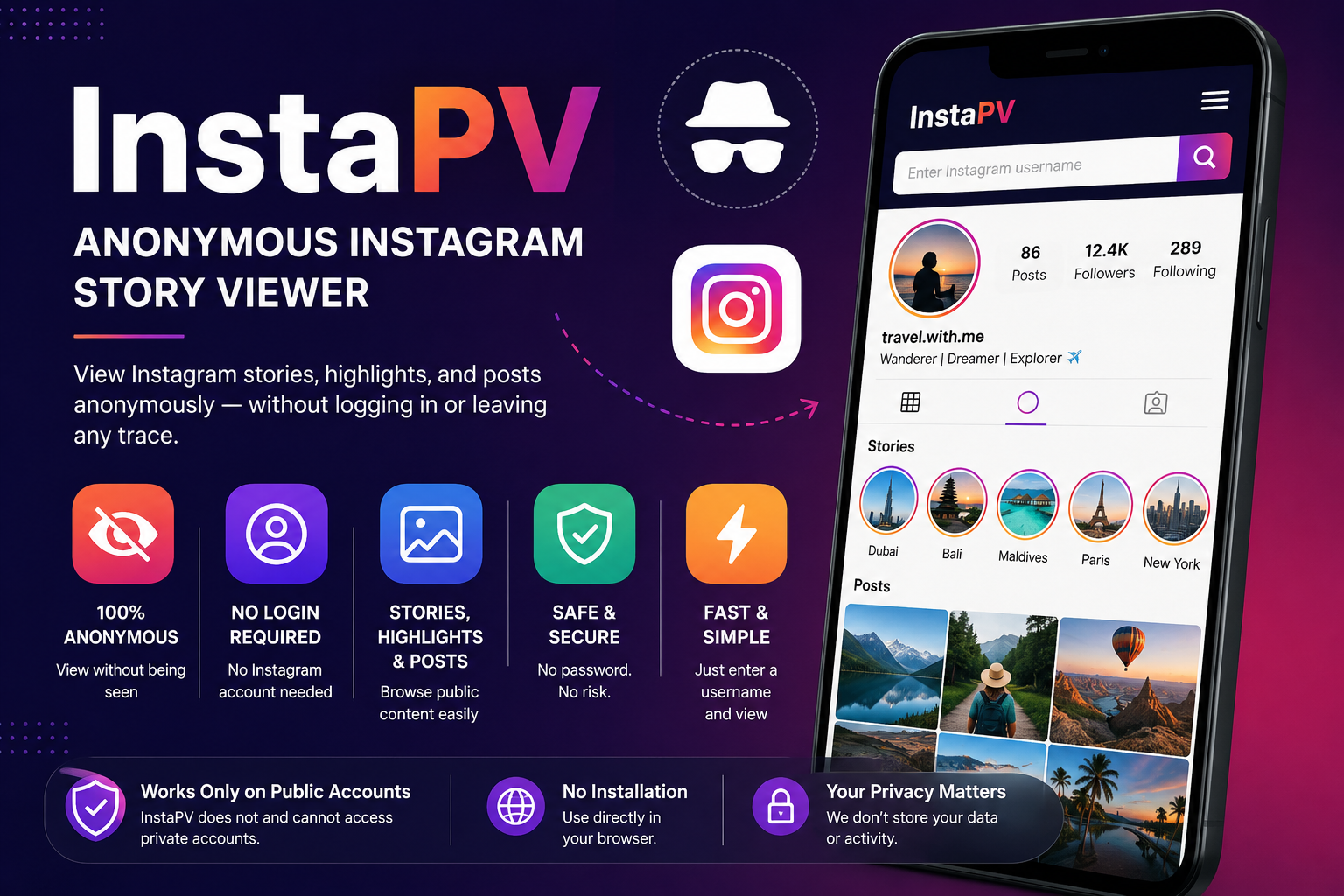
Table of Contents
ToggleIntroduction
Type “InstaPV” into Google and you’ll land on a handful of websites promising the same thing: watch someone’s Instagram stories, highlights, and posts without them ever knowing you looked. No login. No account. No trace.
It’s a tempting pitch. Instagram has spent years locking down features that used to be public — the “following” activity tab is gone, like counts are hidden in many regions, and there’s no built-in way to browse a stranger’s stories without appearing in their viewer list. Tools like InstaPV exist to fill that gap.
But before you paste a username into any of these sites, it’s worth understanding exactly what InstaPV is, how it works, and — more importantly — why the answer to “is it safe?” isn’t a simple yes or no. This guide breaks down what InstaPV actually does, its real limitations, the legitimacy questions surrounding it, and what to use instead if you want a more dependable option.
What Is InstaPV?
InstaPV is a free, browser-based tool that lets you view public Instagram profiles, stories, highlights, and posts without logging into an Instagram account. The idea is simple: you enter a public username, the site pulls that account’s publicly available content, and you view it through InstaPV’s own interface instead of the Instagram app.
Because you never log in, InstaPV doesn’t touch your Instagram account, and the person you’re viewing has no way of knowing you looked. That’s the core appeal, and it’s genuine — as long as the account you’re checking is public.
One thing worth flagging upfront: there isn’t a single, universally confirmed official InstaPV website. Different sources point to different domains — including instapv.io and instapv.ai — with no strong independent confirmation of which one (if any) is the “real” or original version. That’s not unusual in this corner of the web, but it does mean you should approach any InstaPV site with a bit more caution than you would a tool from an established company.
How InstaPV Works
The mechanics are straightforward:
- You visit an InstaPV website.
- You type in the public Instagram username you want to check.
- The tool fetches that account’s current stories, highlights, or posts from Instagram’s public-facing data.
- Content displays inside InstaPV’s own viewer, not the Instagram app.
Under the hood, this is essentially a scraper: it reads data that Instagram already makes publicly visible and re-displays it through a third-party interface. It doesn’t use any special access or backdoor into Instagram — it can only show what’s already public.
That also explains its biggest structural weakness. Instagram doesn’t officially support this kind of access, and it regularly tweaks how its public pages are structured. When that happens, scraper tools like InstaPV break until someone patches them, which is why “server error” and “unable to connect” complaints show up repeatedly in user discussions about the tool.
Key Features
Anonymous story and highlight viewing The main draw: you can watch a public account’s Instagram stories and saved highlights without appearing in their viewer list.
No account or login required You never enter Instagram credentials, so the tool never has direct access to your account.
Profile and post browsing Beyond stories, InstaPV lets you browse public profile pictures and feed posts.
Follower activity insights Some versions of the tool advertise the ability to see engagement patterns or recently-followed accounts, though how consistently this works varies by version of the site and by account.
No installation needed It runs entirely in the browser — no app to download, which lowers (but doesn’t eliminate) the usual malware concerns associated with downloadable “Instagram viewer” apps.
Is InstaPV Safe? What You Need to Know
This is the question most people searching for InstaPV actually want answered, so let’s be direct about it.
For your Instagram account: Reasonably safe. Since InstaPV never asks for your Instagram username or password, your account itself isn’t at risk of being compromised through the tool.
For your device: This is where the caution comes in. InstaPV is ad-supported, and multiple reviews describe the ad network as aggressive — pop-ups, redirect scripts, and occasional fake “you’ve won a prize” pages. None of this is unique to InstaPV; it’s common across free, ad-funded viewer tools. Using a browser ad blocker significantly reduces the annoyance and risk.
For your privacy and data: This is the least clear-cut part. There’s no strong, independently verified privacy policy or security audit tied to InstaPV that confirms exactly what data it logs or shares with ad partners. Because there’s also no single confirmed official domain, you can’t be fully certain which site is legitimate at any given time, or whether a copycat site is collecting more than it should.
A fair overall take: InstaPV likely does what it says for basic public-content viewing, and it won’t compromise your Instagram login. But “likely safe” isn’t the same as “verified safe,” and the aggressive advertising plus unclear ownership are legitimate reasons for caution — especially if you’re using it for anything more sensitive than casual browsing.
Worth noting: InstaPV can only ever access content the account owner has made public. It cannot view private accounts, private messages, or anything behind Instagram’s privacy settings — despite what some ads or third-party claims might imply.
Benefits of Using InstaPV
- No cost. It’s free to use, with no subscription or hidden paywall for basic viewing.
- No account risk. Your Instagram credentials never touch the tool.
- Genuinely anonymous for public content. The person whose story you view has no way to see that you looked.
- Low barrier to entry. No installation, no sign-up — just a username and a click.
Drawbacks and Limitations
- Public accounts only. It cannot access private profiles, and any tool or site claiming otherwise should be treated as a red flag.
- Frequent downtime. Because it relies on scraping Instagram’s public pages, it regularly breaks when Instagram updates its site structure.
- Aggressive advertising. Reviewers consistently flag intrusive ads and redirects as the most common complaint.
- No confirmed official source. Multiple domains claim to be “the real” InstaPV, which makes it hard to verify you’re using a legitimate version.
- No reel support in most versions, which puts it behind some newer competitors that cover stories, posts, and reels in one place.
- Stories only last 24 hours on Instagram itself, so InstaPV — like any viewer tool — can only show what’s currently active, not historical stories.
InstaPV vs. Alternatives
The anonymous Instagram viewer space is crowded, and InstaPV is just one of several tools built around the same basic idea. Here’s how it stacks up against commonly mentioned alternatives.
| Tool | Login Required | Content Covered | Reels Support | Ad Load | Notable Trait |
|---|---|---|---|---|---|
| InstaPV | No | Stories, highlights, posts, profiles | Limited/no | Moderate–high | No single confirmed official domain |
| InstaNavigation | No | Stories, highlights, posts, profiles | Yes | Moderate | Modern interface, occasional speed dips |
| AnonyIG | No | Stories, highlights, posts | No | Moderate | Reliable uptime, less polished UI |
| StoriesIG | No | Stories, highlights | No | Moderate–high | Long-running, but ad experience has aged poorly |
| Instagram’s own privacy settings | Yes (your account) | Whatever you’re permitted to see | N/A | None | Most transparent and Instagram-sanctioned option |
A quick honest note: this entire category — InstaPV, InstaNavigation, AnonyIG, StoriesIG, and similar tools — consists of unofficial, ad-funded scrapers. None of them are affiliated with or endorsed by Instagram, they all share the same fundamental limitation (public accounts only), and all of them experience periodic downtime when Instagram changes its systems. Treat “which one is best” as a question of which one is least annoying and most reliable this week, not which one is fundamentally more legitimate.
Pros and Cons
| Pros | Cons |
|---|---|
| Free to use | Aggressive, sometimes intrusive advertising |
| No Instagram login required | Frequent downtime and server errors |
| Anonymous viewing of public content | No confirmed single official website |
| No app installation needed | Cannot access private accounts (as expected) |
| Simple, low-effort interface | Unclear data-handling and privacy practices |
How to Use InstaPV (If You Decide To)
- Search for the current working InstaPV site. Because there’s no single confirmed domain, check recent reviews or forum discussions to confirm which URL is currently active and least complained-about.
- Use a browser ad blocker before visiting. This meaningfully cuts down on pop-ups and redirect risks.
- Enter the public username you want to view — not a URL, just the handle.
- Wait for the content to load. Stories, highlights, or posts should appear in the tool’s own viewer.
- Avoid clicking anything outside the core viewer, especially banner ads or “claim your prize” style pop-ups.
- Close the tab when done. There’s no account to log out of, since you never logged in.
If the site errors out or won’t load, that’s a known and common issue with this category of tool — it usually means Instagram has changed something on its end, not that anything is wrong with your device.
FAQs
Is InstaPV free? Yes, the core viewing features are free. It’s supported by advertising rather than a subscription fee.
Do I need an Instagram account to use InstaPV? No. You don’t need to log in or even have an Instagram account yourself to view public content through InstaPV.
Can InstaPV see private Instagram accounts? No. It can only access content from public accounts. No legitimate viewer tool can bypass Instagram’s private-account restrictions, and any that claims otherwise should be treated with suspicion.
Will the person know I viewed their story through InstaPV? No. Since you’re not logged into Instagram and not using the official app, you won’t appear in their story viewer list.
Why does InstaPV keep showing “server error” or not loading? InstaPV works by pulling data from Instagram’s public pages. When Instagram updates its site structure or tightens access, tools like this often break until they’re patched — which can take time or, in some cases, never happen.
Is there an official InstaPV app? There’s no strong evidence of a verified, officially confirmed app tied to a single legitimate developer. Stick to browser-based access and be wary of any app claiming to be the “official” InstaPV.
Is InstaPV legal to use? Viewing publicly available content isn’t illegal in most jurisdictions, since the account owner chose to make it public. That said, using any third-party tool to systematically scrape or download someone’s content may run against Instagram’s own terms of service, even if it’s not illegal under the law.
What happens if InstaPV goes down permanently? Alternatives like InstaNavigation, AnonyIG, and StoriesIG serve the same basic purpose and can be used as a substitute if InstaPV becomes unreliable or disappears entirely.
Does InstaPV let you download stories and posts? Some versions of the tool advertise download functionality alongside viewing, though this varies by which site or version you’re using and isn’t consistently confirmed across all InstaPV domains.
Is InstaPV better than just using Instagram normally? Not necessarily “better” — it serves a different purpose. If you have an Instagram account and don’t mind being visible as a viewer, using the app directly is simpler and doesn’t carry the ad and privacy uncertainties that come with third-party tools.
Conclusion
InstaPV does what a lot of people are searching for it to do: it lets you glance at a public Instagram account’s stories or posts without logging in or showing up on anyone’s radar. For casual, occasional use — checking a public brand’s latest story, for instance — it’s a functional, no-cost option.
But it’s not a polished or fully vetted product. The lack of one confirmed official domain, the aggressive ad experience reported across reviews, and the periodic downtime are all real trade-offs, not hypothetical ones. If you decide to use it, keep an ad blocker on, stick to public accounts (which is all it can access anyway), and don’t treat it as a tool you can rely on for anything time-sensitive or important.
If reliability matters more to you than brand loyalty, it’s worth bookmarking one or two alternatives — InstaNavigation or AnonyIG, for example — so you’re not stuck when InstaPV inevitably has one of its off days.
Read Also: Star Wars Movie FX Maker Complete Guide
About the Author




1 thought on “InstaPV Review 2026: Is It Safe to Use?”