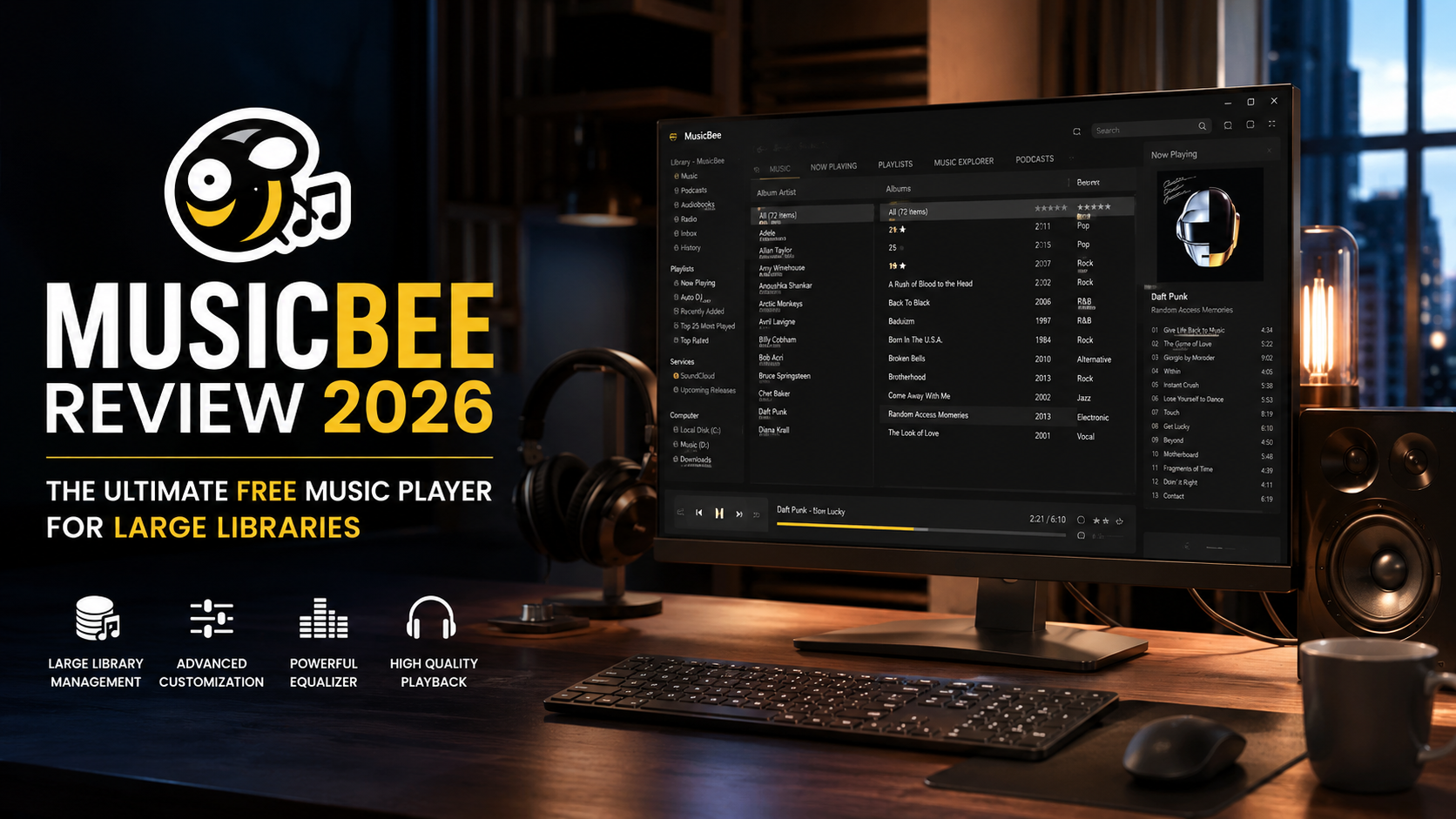
Managing a massive digital music collection can feel overwhelming. Most media players either lack essential features or become bloated and slow with large libraries. MusicBee solves this problem by offering a comprehensive, lightweight solution that handles extensive collections with remarkable efficiency.
This review explores MusicBee’s features, performance, and real-world use cases to help you decide if it’s the right music management tool for your needs.
Table of Contents
-
What is MusicBee?
-
Key Features and Benefits
-
Supported Formats and Platform Availability
-
Comparison with Alternatives
-
Pros and Cons
-
Frequently Asked Questions
-
Conclusion
What is MusicBee?
MusicBee is a free, feature-rich music player and library manager designed for Windows. Created by developer Steven Mayall, it has earned a reputation as one of the most capable music organization tools available. Unlike many commercial alternatives, MusicBee remains free while offering functionality that rivals—and often exceeds—paid solutions.
The application focuses on making it easy to organize, find, and play music files on your computer, portable devices, and the web. It combines powerful tagging tools, internet integration for automatic metadata retrieval, and a highly customizable interface that adapts to both casual listeners and audio enthusiasts.
Key Features and Benefits
Library Management and Organization
MusicBee excels at handling large music collections. Users have reported successfully importing libraries with over 40,000 tracks and ten years of play history without issues. The software supports automatic library organization, allowing you to rename files and restructure folders based on your preferred naming conventions.
The library explorer lets you browse by artist, album, genre, year, and custom filters. You can even create multiple filters within a single library to view your collection from different perspectives. The “Inbox” feature, which users have praised for its elegant implementation, helps manage newly added files before they’re fully integrated into your library.
Advanced Tagging Tools
One of MusicBee’s standout features is its comprehensive tagging capabilities. The application includes:
-
Tag Inspector for detailed metadata editing, with support for creating cuesheets and multi-selection deletion
-
Auto-tagging from online sources, fetching song information, album art, and artist biographies
-
Custom tags support, with up to four additional custom tag fields available
-
Volume Analysis with parallel execution for multiple files
-
Duplicate management to keep your library clean
The tagging system supports native fields like mood and tempo, making it ideal for detailed music organization. Users migrating from MediaMonkey report that MusicBee imports all these fields without issues.
Audio Playback Quality
MusicBee provides professional-grade audio features out of the box. It includes WASAPI and ASIO support without requiring additional plugins, which many users praise for delivering clean, stutter-free playback. Additional audio tools include:
-
Pitch, tempo, and sample rate controls that can be docked to a sidebar
-
Volume normalization and crossfading capabilities
-
Support for Winamp DSP plugins
-
ContrastBoost support for synced lyrics
Artist Biography and Artwork
The artist biography panel automatically fetches information from Last.fm and Wikipedia, storing it locally for offline access. Artist pictures are also downloaded automatically, though users can switch to text-only display if preferred.
The biography files are stored in a local cache folder (AppData\InternalCache\ArtistData\ for portable versions), allowing you to edit and preserve custom biographies. However, some users have reported issues with third-party cleanup utilities like Glary Utilities mistakenly deleting these files.
Customization Options
MusicBee offers extensive customization without feeling bloated. You can:
-
Choose or create skins to change the visual appearance
-
Customize the layout with dockable panels for lyrics, artwork, and now playing information
-
Configure hotkeys for common actions, including a “Stop after Current” function
-
Adjust the interface to show or hide specific nodes like Podcasts, though some users find this configuration less intuitive than competitors
Playlist Management
The playlist features are robust and user-friendly. The Playlist Mixer allows for “Any Field” null problem handling, and users can create perfect party playlists with ease. Shuffle playlist functionality is available through command line, and the software now prompts for confirmation when closing while music is playing.
Device Synchronization
MusicBee handles portable device synchronization with a conservative approach. Unlike MediaMonkey, which attempts to set up every connected device automatically, MusicBee wisely keeps device handling disabled until you explicitly enable it. This prevents unexpected issues when connecting various devices.
However, MusicBee lacks an official Android app, which means custom tagging and ratings don’t sync with Android players. This is a notable limitation for users who want a unified experience across desktop and mobile.
Supported Formats and Platform Availability
MusicBee is available exclusively for Windows, with both installer and portable versions. The software supports:
-
Audio formats: MP3, FLAC, AAC, OGG, WMA, and many others
-
Playback: DirectSound and WASAPI output, with ASIO support
-
Metadata: Full ID3v2 support and native fields for mood, tempo, and custom tags
-
Internet integration: Last.fm scrobbling, Groove Music (formerly Xbox Music) support
The portable version stores all data locally, making it ideal for USB drives and maintaining configuration across multiple computers. The installer version stores data in %LOCALAPPDATA%\MusicBee\.
Comparison with Alternatives
| Feature | MusicBee | MediaMonkey | foobar2000 | iTunes |
|---|---|---|---|---|
| Price | Free | Freemium/Gold | Free | Free |
| Platform | Windows only | Windows | Windows | Windows/macOS |
| Large library performance | Excellent | Good | Excellent | Poor |
| Tagging tools | Comprehensive | Comprehensive | Plugin-based | Basic |
| WASAPI/ASIO support | Built-in | Gold version | Plugin-based | No |
| Android app | No | Yes | No | No |
| Ease of use | Moderate | Moderate | Difficult | Easy |
| Customization | High | High | Very High | Limited |
| Active development | Yes | Yes | Yes | Yes |
Source: User feedback across MusicBee forum discussions
MusicBee stands out for offering professional audio features and comprehensive tagging without the complexity that plagues foobar2000. While MediaMonkey offers a comparable feature set, MusicBee’s responsiveness is noticeably faster, especially when handling large album artwork.
Pros and Cons
Pros
-
Free and actively maintained with regular updates
-
Handles massive libraries (40,000+ tracks) with excellent speed
-
Comprehensive tagging tools with custom fields
-
WASAPI and ASIO support built-in
-
Highly customizable interface and layout
-
Last.fm integration and automatic artist biography retrieval
-
Device handling is conservative and predictable
-
Portable version available
Cons
-
No official Android app or mobile companion
-
Windows only—no macOS or Linux support
-
Artist biography files can be deleted by third-party cleanup utilities
-
Some users find the interface less intuitive than competitors like MediaMonkey
-
No video playback support
-
Interface configuration can be challenging for new users
-
No native support for sorting by folder (some users request this feature)
Frequently Asked Questions
1. Is MusicBee really free?
Yes, MusicBee is completely freeware. There’s no premium version or paid upgrade required for full functionality.
2. Does MusicBee have an Android app?
No. While MediaMonkey offers an Android companion app, MusicBee does not. You won’t be able to sync custom tagging or ratings directly to Android devices.
3. Can MusicBee handle very large music libraries?
Yes. Users regularly manage libraries with tens of thousands of tracks, and MusicBee’s responsiveness is notably faster than competitors like MediaMonkey, especially with large album artwork.
4. Does MusicBee support FLAC and other lossless formats?
Yes. MusicBee supports FLAC, WAV, ALAC, and other lossless formats with full metadata support.
5. Can I customize MusicBee’s appearance?
Absolutely. MusicBee supports skins created by the community, and you can also create your own skins. The layout is highly customizable with dockable panels.
6. How do I recover deleted artist biographies?
Artist biography files are stored locally. If they’re accidentally deleted by cleanup utilities like Glary Utilities, you’ll need to refetch them from the internet or restore from backup.
7. Is MusicBee better than MediaMonkey?
It depends on your needs. MusicBee offers faster performance and built-in WASAPI/ASIO support, while MediaMonkey provides an Android app and more flexible tree-based navigation.
8. Does MusicBee support Winamp plugins?
Yes. MusicBee can use Winamp DSP plugins, which is a welcome extra for users with existing plugin setups.
9. Can I edit lyrics and synchronize them with MusicBee?
Yes. MusicBee supports synchronized lyrics with ContrastBoost for the non-highlighted portion of lyrics. You can also insert timestamps for synchronized lyrics using the Tag Editor.
10. Is MusicBee still actively developed?
Yes. Steven and other contributors maintain MusicBee with regular updates. The latest version (3.6.9403 as of 2025) includes numerous bug fixes and feature enhancements.
Conclusion
MusicBee stands as one of the most capable free music players available for Windows. Its combination of comprehensive tagging tools, professional audio features, and excellent performance with large libraries makes it an ideal choice for serious music collectors.
The lack of an Android app and macOS/Linux support are notable limitations. However, if you’re primarily a Windows user managing a substantial music collection, MusicBee offers functionality that often surpasses paid alternatives.
For users considering switching from MediaMonkey, Winamp, or iTunes, MusicBee provides a compelling upgrade path with faster performance, built-in professional audio support, and a dedicated community of users and developers.
Download MusicBee: Visit the official MusicBee website to download the latest version and explore the community forum for support and skins.
About the Author