Introduction
When you’re an IT professional, the little things matter. The adapter that fails during a client presentation. The docking station that can’t handle dual 4K monitors. The cable that frays after a month of use. These aren’t just annoyances—they’re productivity killers.
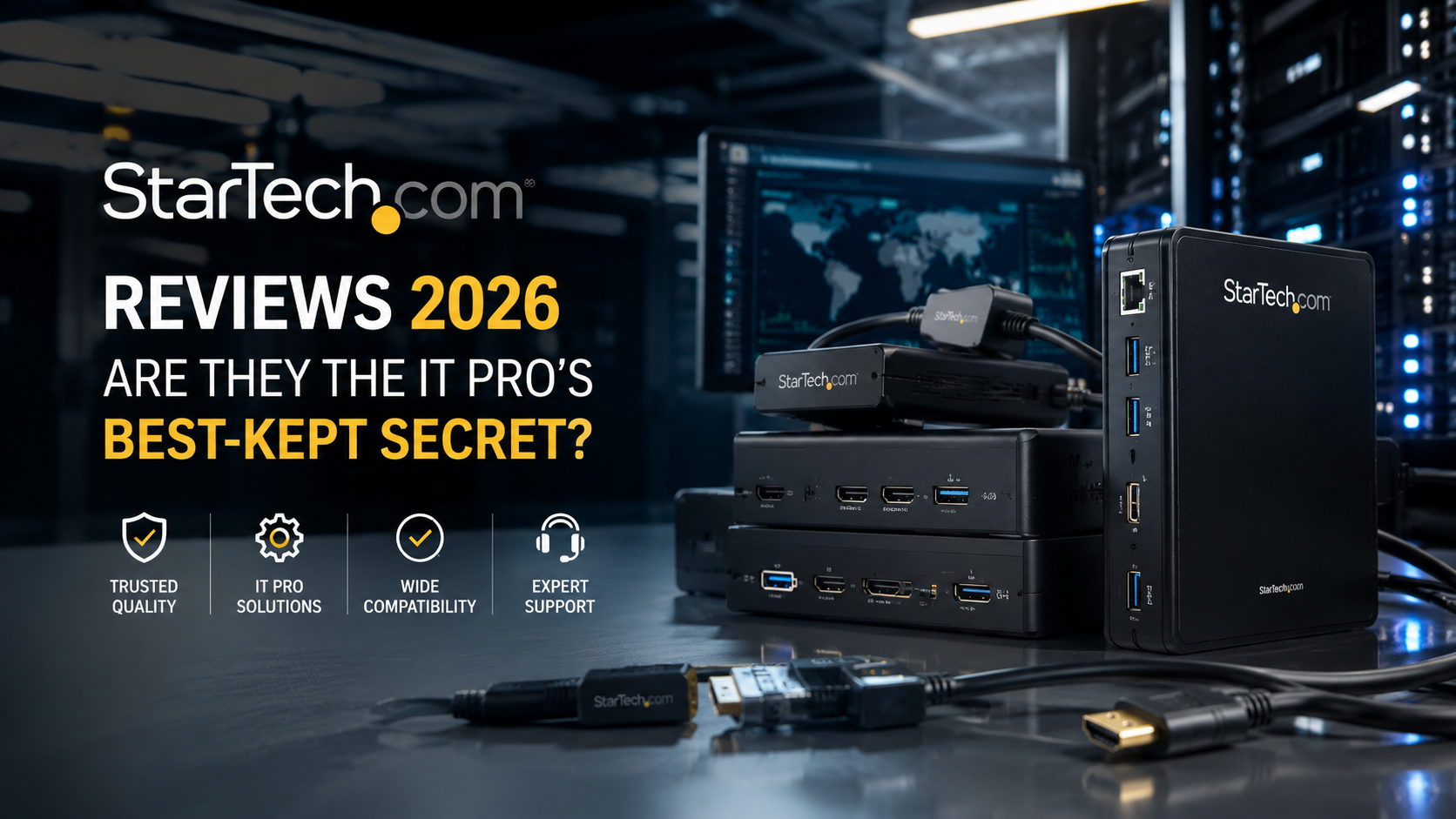
Enter StarTech.com. Since 1985, this Canadian company has quietly built a reputation as the go-to brand for IT professionals who refuse to compromise on connectivity. In an industry crowded with generic cables and unreliable adapters, StarTech has carved out a unique position: performance-first accessories designed by IT pros, for IT pros .
But with thousands of products spanning everything from USB-C hubs to enterprise-grade SFP modules, the question isn’t whether StarTech makes good products. It’s whether they’re the right choice for your specific needs. This comprehensive review examines StarTech.com‘s offerings, compares them to alternatives, and helps you decide where they fit in your tech stack.
Table of Contents
-
Who Is StarTech.com?
-
The StarTech Product Ecosystem
-
Docking Stations and Hubs: The Flagship Products
-
Networking Gear: SFPs, Adapters, and More
-
Cables and Connectivity: The Foundation
-
StarTech.com vs. Competitors: How Do They Stack Up?
-
Pros and Cons
-
Frequently Asked Questions
-
Conclusion
Who Is StarTech.com?
The Origin Story
StarTech.com was founded in 1985 in London, Ontario, Canada, by Paul Seed and Ken Kalopsis . The company’s humble beginnings are almost cliché—they started in a basement, manufacturing computer dust covers with funding from a credit card . But this bootstrapped origin reflects a company culture that’s persisted for four decades: practical problem-solving, not venture-capital hype.
Today, StarTech.com operates in 15 countries with over 30,000 active resellers worldwide . Their product lineup has expanded from simple dust covers to over 3,000 products, including some genuinely innovative solutions for enterprise and SMB environments .
Who Is StarTech For?
The company’s tagline—”The IT Professional’s Trusted Source”—isn’t just marketing. StarTech explicitly designs for:
-
System integrators who need reliable components for client builds
-
Enterprise IT teams managing diverse hardware environments
-
AV professionals requiring dependable video connectivity
-
Prosumers and power users who’ve outgrown consumer-grade accessories
What sets them apart from consumer brands is their focus on use cases that actually matter in professional environments: backward compatibility, industrial-grade durability, and enterprise features like VLAN tagging and Wake-on-LAN .
The StarTech Product Ecosystem
StarTech’s product portfolio can be organized into several major categories, each serving distinct professional needs.
Docking Stations and USB Hubs
This is arguably StarTech’s strongest category. Their Thunderbolt 3, Thunderbolt 4, and USB-C docks are designed for professionals running multi-monitor setups in demanding environments.
Key offerings include:
-
TB3DK2DPM2 Thunderbolt 3 Dock: Dual 4K 60Hz output, PCIe M.2 NVMe SSD enclosure, 85W power delivery, SD 4.0 card reader
-
TB3CDK2DH Thunderbolt 3 Dock: USB-C host compatibility, dual 4K 60Hz or single 8K output, 96W Power Delivery
-
ST7200USBM Industrial 7-Port USB Hub: Rugged, mountable, supports 7-24V power input—designed for industrial environments
Networking
StarTech produces a range of networking gear, including:
-
Gigabit Ethernet Adapters: The USB31000S adds a single RJ45 port with support for Jumbo Frames, VLAN tagging, and Wake-on-LAN
-
SFP Modules: This is where StarTech has gained significant attention in enterprise circles, offering modules at a fraction of the cost of Cisco-branded alternatives
-
PCIe Network Cards: For adding multiple Ethernet ports to servers and workstations
Cables and Adapters
A massive portion of StarTech’s catalog consists of cables and simple adapters—HDMI cables, USB cables, legacy connectors, and more. While not exciting, these are often where reliability matters most. Their cables are frequently USB-IF certified (like the USB31CC1M 10Gbps USB-C cable) and HDMI certified for specific specifications .
KVM Switches and Server Management
StarTech produces a range of KVM switches and remote management tools, including rack-mounted console solutions and IP-based KVM systems .
Docking Stations and Hubs: The Flagship Products
If you’re considering StarTech, you’re likely looking at their docking stations. Let’s examine what makes them stand out.
Performance Features
StarTech’s high-end Thunderbolt docks share several core features that justify their premium price:
Dual 4K 60Hz Support: Many consumer docks struggle with dual 4K output at 60Hz, often dropping to 30Hz on one display. StarTech’s Thunderbolt 3 and 4 docks reliably handle two 4K monitors at full refresh rate . For creative professionals and developers running high-resolution displays, this is non-negotiable.
Power Delivery Options:
-
85W PD on the TB3DK2DPM2—sufficient for most 13-15″ laptops
-
96W PD on the TB3CDK2DH—enough for larger workstations and power-hungry machines
High-Speed I/O:
-
10Gbps USB-C and USB-A ports (not the common 5Gbps found on many docks)
-
SD 4.0 card readers supporting 270MB/s transfer speeds
-
Gigabit Ethernet with full bandwidth—unlike USB 2.0-based adapters
NVMe SSD Integration: The TB3DK2DPM2 includes a PCIe M.2 SSD slot, effectively turning the dock into an external storage enclosure. This is a distinctive feature that saves desk space and money compared to purchasing a separate enclosure .
Practical Use Cases
For Video Editors: A content creator running Adobe Premiere with external storage and dual 4K monitors can connect everything through a single Thunderbolt cable while keeping their laptop charged.
For Enterprise IT Support: IT staff supporting remote workers can deploy these docks to ensure consistent connectivity across different laptops and locations.
For Industrial Settings: The ST7200USBM industrial hub supports DIN rail mounting and 7-24V power input, making it suitable for factory floors and server rooms where consumer hubs would fail .
Limitations
StarTech’s docks aren’t perfect:
Cost: With prices often exceeding $300, they’re significantly more expensive than consumer alternatives like Anker or Ugreen.
Thunderbolt Fragmentation: Many StarTech Thunderbolt docks have specific compatibility quirks—some are Windows-only, some support both Mac and Windows, and models frequently get discontinued and replaced with slightly different variants .
Host Device Compatibility: While Thunderbolt is generally reliable, some docks require specific host chipsets, and not all USB-C laptops support Thunderbolt at all.
Networking Gear: SFPs, Adapters, and More
The SFP Value Proposition
One of StarTech’s most interesting product lines is their SFP (Small Form-factor Pluggable) transceiver modules. A 10Gbase-LRM module costs about $30 from StarTech, compared to approximately $900 from Cisco or $200 from Proline .
This dramatic price difference reflects a strategic decision: StarTech positions itself as the cost-effective alternative for specific use cases.
When StarTech SFPs Make Sense:
-
Deploying 10Gb links over old OM1 fiber with mode conditioning cables
-
Connecting temporary or test networks where reliability is less critical
-
Budget-constrained projects where the cost of brand-name modules exceeds the cost of replacing infrastructure
When to Avoid:
-
Mission-critical production environments where failure risk is unacceptable
-
Deployments requiring official Cisco support (third-party SFPs void support agreements)
-
Networks where module failure would cause significant business disruption
A Cisco community user who evaluated StarTech SFPs for remote 10Gb links noted they planned to maintain existing 1Gb links as fallback, a prudent approach for any third-party networking gear .
USB to Gigabit Ethernet Adapters
The USB31000S exemplifies StarTech’s attention to enterprise-grade features. Unlike cheap adapters that support only basic connectivity, this adapter includes :
-
Jumbo Frames: Improves performance for large data transfers
-
VLAN Tagging: Essential for enterprise network segmentation
-
Wake-on-LAN (WOL): Enables remote power management
-
Full Gigabit Bandwidth: Unlike USB 2.0 adapters that throttle speeds
This level of feature support makes a genuine difference for IT teams managing complex environments.
Cables and Connectivity: The Foundation
Why Certified Cables Matter
StarTech produces cables certified for specific standards—USB-IF certification for USB cables, HDMI certification for HDMI cables. This matters more than most consumers realize.
Uncertified cables can cause:
-
Intermittent disconnections
-
Resolution and refresh rate issues on displays
-
Reduced charging speeds
-
Data corruption or errors
USB-IF Certification: The USB31CC1M cable is certified for USB 3.1 Gen 2 (10Gbps) and 60W (3A) power delivery, meaning it meets strict standards for signal integrity and power handling .
HDMI Certification: Cables like the HDMM1MP are certified for HDMI 2.0 with 4K 60Hz support, HDR10, and Ethernet channel .
Backward Compatibility
StarTech excels at supporting legacy connectivity—RS232 serial adapters, VGA cables, DVI products, and other older standards . For organizations maintaining legacy equipment, this is a significant advantage over brands that focus only on current standards.
StarTech.com vs. Competitors: How Do They Stack Up?
| Feature | StarTech.com | Anker | Belkin | Startech Competitors (Cisco/Proline) |
|---|---|---|---|---|
| Target Audience | IT professionals | General consumers | Apple-focused consumers | Enterprise (Cisco) / IT channel (Proline) |
| Price Range | Mid to high | Low to mid | Mid to high | Very high (Cisco) / Mid-high (Proline) |
| Enterprise Features | Excellent | Limited | Limited | Elite (Cisco) / Good (Proline) |
| Build Quality | Excellent | Good | Good | Excellent |
| Warranty | Lifetime on many products | Varies | 1-2 years | Varies |
| Certifications | USB-IF, HDMI, TAA | Limited | Some | Comprehensive |
| Legacy Support | Extensive | Minimal | Minimal | Minimal |
| Best Use Case | Professional/business | Personal/home | Apple ecosystem | Enterprise data center |
When to Choose StarTech
-
Professional environments where reliability and features matter more than price
-
Mixed environments requiring legacy compatibility
-
Enterprise data networks when Cisco-branded SFPs are cost-prohibitive
-
Video production requiring dual 4K 60Hz output
When to Look Elsewhere
-
Basic home use where cheaper consumer brands are sufficient
-
Apple-centric workflows where Belkin’s design and compatibility may be better
-
Data center deployments requiring official vendor support for networking gear
Pros and Cons
Pros
Comprehensive Product Range – Over 3,000 products covering virtually every connectivity need
Enterprise-Grade Features – VLAN tagging, Jumbo Frames, Wake-on-LAN on network adapters
Industrial Options – DIN rail mounting, wide voltage range for harsh environments
Certifications – USB-IF and HDMI certified cables for guaranteed compatibility
Lifetime Warranty – Many products include lifetime warranty coverage
Global Availability – Operations in 15 countries with 30,000+ resellers
Legacy Compatibility – Serial, VGA, DVI, and other legacy standards supported
Cons
Premium Pricing – Significantly more expensive than consumer brands
Thunderbolt Fragmentation – Products frequently discontinued, models with similar names have different features
Third-Party Network Gear Risks – SFP modules lack official vendor support
Complex Product Line – Overwhelming selection with subtle differences between models
Some Products Discontinued – Hard to find replacement parts for older docks
Frequently Asked Questions
1. Is StarTech.com a Chinese company?
No. StarTech.com was founded in Canada in 1985 and maintains its global corporate headquarters in London, Ontario . They have operations in 15 countries including the United States and UK .
2. Does StarTech.com offer a lifetime warranty?
Many StarTech.com products come with a lifetime warranty, including their SFP modules and many cables and adapters . However, warranty terms vary by product, so check individual product listings for specific coverage.
3. Are StarTech Thunderbolt 3 docks compatible with Macs?
It depends on the model. Some docks, like the TB3DKDPMAW, explicitly support both Mac and Windows, while others like the TB3DK2DPW are Windows-only . Always verify compatibility before purchasing.
4. Can I use StarTech SFP modules with Cisco switches?
Yes, but with caveats. Cisco does not support third-party SFPs in their switches, meaning you cannot get official Cisco support if you use them . Many IT professionals use them successfully, but they’re recommended for non-critical applications or with fallback links.
5. How does StarTech compare to Anker?
StarTech targets IT professionals and enterprise users while Anker focuses on consumer electronics. StarTech offers enterprise features like VLAN tagging, Jumbo Frames, and industrial-grade durability that you won’t find in Anker products .
6. What does the USB31000S network adapter support?
The USB31000S USB 3.0 to Gigabit Ethernet adapter supports Jumbo Frames, VLAN tagging, Wake-on-LAN (WOL), and full Gigabit bandwidth. It’s backward compatible with USB 2.0/1.x systems .
7. What is StarTech.com‘s best-selling product?
While specific sales figures are not public, StarTech’s docking stations, USB-C hubs, and certified cables are among their most popular categories. Their Thunderbolt 3 and Thunderbolt 4 docks are particularly well-regarded in professional circles.
8. Are StarTech cables certified?
Yes. Many StarTech cables carry USB-IF certification (for USB products) and HDMI certification (for HDMI cables) . This ensures they meet strict performance and safety standards.
9. Does StarTech.com make industrial-grade products?
Yes. The ST7200USBM 7-port USB hub is a notable example, supporting DIN rail mounting and 7-24V power input for industrial environments .
10. Is StarTech.com TAA-compliant?
Some StarTech products, including certain docking stations like the TB3DK2DPM2, are TAA-compliant, meaning they meet US government procurement standards for products manufactured in approved countries .
Conclusion
StarTech.com has earned its reputation as the IT professional’s trusted source for connectivity accessories. Their products combine enterprise-grade features, robust build quality, and thoughtful design for real-world professional use cases.
However, they’re not for everyone. If you’re setting up a home office and need a basic USB-C hub, a cheaper consumer brand like Anker will likely serve you well. But if you’re an IT professional managing diverse environments, supporting legacy equipment, or deploying connectivity solutions that absolutely must work, StarTech offers value that cheaper alternatives simply cannot match.
Practical Advice for Buyers:
-
For docking stations: Evaluate your specific needs—how many monitors, at what resolution, and with what charging requirements. StarTech offers different models for different use cases, so choose carefully.
-
For SFP modules: Consider the risk-reward balance. For non-critical applications or when budget constraints are severe, StarTech is compelling. For mission-critical production, stick with brand-name modules.
-
For cables: StarTech’s certified cables are worth the premium if you need guaranteed performance. For basic connectivity where standards compliance is less critical, cheaper options exist.
-
Always check compatibility: StarTech’s product line is extensive but fragmented. Verify that the specific model you’re buying supports your operating system, laptop brand, and specific use case.
StarTech.com won’t always be the cheapest option. But for IT professionals who value reliability, performance, and enterprise-grade features, they remain a trusted choice—and have been for over 35 years.
About the Author