PS5 Controller Guide – Versions, Problems & Features
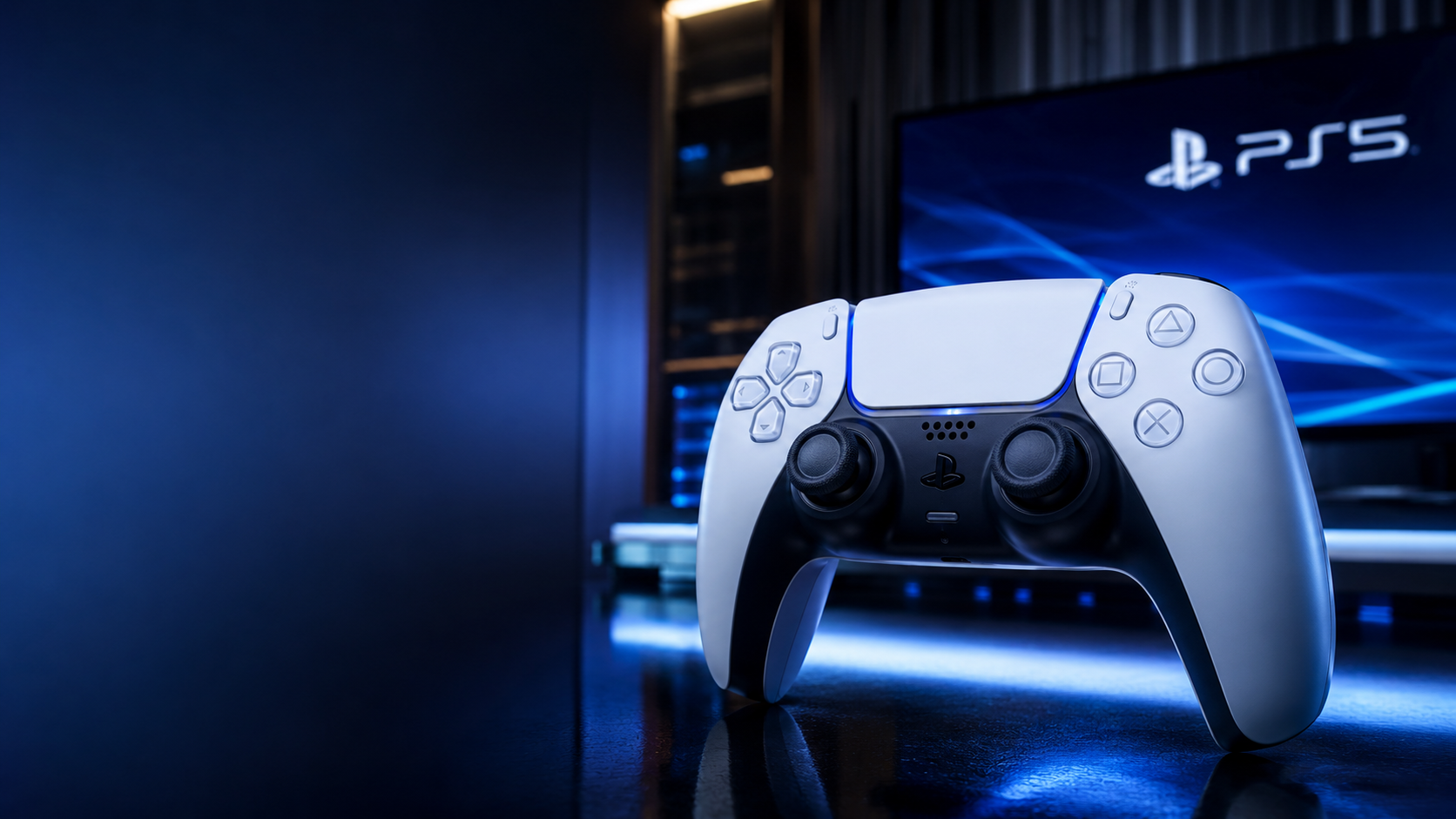
Table of Contents
ToggleWhy the PS5 Controller Changed Console Gaming More Than Most People Expected


The moment most players pick up a PlayStation 5 controller for the first time, they notice something unusual. It does not feel like a normal generational upgrade. The buttons are familiar, the layout is recognizable, yet the experience feels dramatically different.
That difference is the reason the PS5 controller became one of the most discussed gaming devices of the modern console era.
Sony did not simply redesign the old DualShock formula. Instead, the company rebuilt the controller around immersion. Adaptive triggers simulate tension. Haptic feedback mimics textures, impacts, recoil, and environmental effects. The integrated microphone changes communication habits. Motion controls became more refined. Even subtle details like grip texture and weight distribution were engineered differently.
For many players, the controller became the real “next-gen” feature of the PlayStation 5 ecosystem.
But there is also confusion surrounding the device.
Some users want to know whether the standard DualSense is enough or if the DualSense Edge is worth the extra money. Others struggle with stick drift, battery concerns, Bluetooth pairing issues, PC compatibility, charging methods, latency differences, trigger durability, or understanding which games fully support the advanced features.
Search interest around the PS5 controller is no longer limited to casual buyers. Competitive players, PC gamers, streamers, accessibility-focused users, collectors, and even hardware enthusiasts now analyze controllers almost as seriously as graphics cards or gaming monitors.
This guide covers everything that matters:
- Official DualSense technology
- DualSense Edge features
- Adaptive triggers explained
- Haptic feedback mechanics
- Battery life realities
- PC and mobile compatibility
- Controller setup
- Common problems and fixes
- Best accessories
- Gaming performance analysis
- Hidden features
- Buying recommendations
- Long-term durability expectations
- Differences between PS4 and PS5 controllers
- Expert advice for different types of gamers
Whether you are buying your first PS5 controller, replacing an old one, upgrading to Edge, or trying to understand why Sony’s controller strategy became so influential across the industry, this is the complete deep-dive most buyers actually need.
What Is the PS5 Controller Called?
The standard PS5 controller is officially called the:
DualSense Wireless Controller
Sony replaced the older “DualShock” branding that had existed since the PlayStation 1 era.
The naming shift was intentional.
“DualShock” focused on vibration technology. “DualSense” emphasizes sensory immersion — a broader philosophy built around tactile gameplay experiences.
Sony later expanded the lineup with:
DualSense Edge Wireless Controller
The Edge model targets competitive and enthusiast players with customizable controls, replaceable stick modules, rear buttons, trigger stops, and advanced software profiles.
PS5 Controller Quick Overview
| Feature | Standard DualSense | DualSense Edge |
|---|---|---|
| Adaptive Triggers | Yes | Yes |
| Advanced Haptics | Yes | Yes |
| Built-in Mic | Yes | Yes |
| Rear Buttons | No | Yes |
| Replaceable Stick Modules | No | Yes |
| Adjustable Trigger Depth | No | Yes |
| Profile Switching | Limited | Advanced |
| Battery Life | Better | Slightly Lower |
| Competitive Features | Basic | Professional |
| Price Range | Mainstream | Premium |
Why the DualSense Feels So Different


Most controller upgrades in gaming history focused on incremental changes:
- Better ergonomics
- Improved analog sticks
- Lower latency
- New materials
- Slightly better vibration
Sony took a different approach with the DualSense.
The company focused on sensory simulation.
That distinction matters because the controller attempts to make players physically feel gameplay systems rather than merely see or hear them.
For example:
- Pulling a bowstring creates trigger resistance
- Driving on mud feels different from driving on ice
- Rain produces subtle tactile patterns
- Gun recoil varies weapon by weapon
- Footsteps can feel heavier or lighter depending on terrain
This dramatically changes immersion when developers fully implement the technology.
Some games barely use the features. Others transform the entire experience.
Adaptive Triggers Explained
What Are Adaptive Triggers?
The L2 and R2 buttons contain resistance motors that dynamically change trigger pressure during gameplay.
Instead of feeling identical all the time, the triggers can:
- Tighten
- Loosen
- Pulse
- Resist movement
- Simulate mechanical feedback
This is one of the defining features of the PS5 generation.
Examples of Adaptive Trigger Effects
| Game Scenario | Trigger Feeling |
|---|---|
| Bow and arrow | Increasing tension |
| Racing brakes | Pressure simulation |
| Automatic weapon jam | Sudden lock resistance |
| Heavy vehicle acceleration | Gradual stiffness |
| Drawing a heavy object | Trigger strain |
The feature sounds gimmicky until players experience it in properly optimized games.
Titles like:
- Astro’s Playroom
- Returnal
- Spider-Man 2
- Gran Turismo 7
demonstrated how transformative adaptive triggers can become when integrated deeply into gameplay systems.
Haptic Feedback: More Advanced Than Standard Vibration
Traditional controller rumble uses rotating motors.
The DualSense uses more advanced haptic actuators capable of generating nuanced tactile sensations.
That difference enables:
- Texture simulation
- Directional feedback
- Environmental detail
- Subtle vibrations
- Layered tactile responses
Instead of generic shaking, players receive contextual physical information.
Real Examples Players Notice
Walking Surfaces
Different terrain types can feel distinct:
- Sand
- Metal
- Ice
- Grass
- Water
Weather Effects
Rain can create tiny pulses across the controller.
Combat Feedback
Different weapons produce unique recoil sensations.
Vehicle Handling
Road conditions become physically noticeable.
This is one reason many players say certain PS5-exclusive games “feel” more immersive even when graphics differences are relatively small.
Design and Ergonomics


Sony made substantial ergonomic changes compared to the older DualShock 4.
Key Physical Changes
| Area | Improvement |
|---|---|
| Grip Size | Larger and fuller |
| Trigger Shape | More comfortable curvature |
| Weight Distribution | More balanced |
| Texture | Improved grip microtexture |
| Analog Sticks | Better resistance |
| Button Feel | More refined click response |
The controller feels closer to Xbox controller ergonomics while preserving Sony’s symmetrical analog stick layout.
That balance helped Sony satisfy both longtime PlayStation fans and players who previously preferred Xbox controllers for comfort.
Built-In Features Many Players Forget Exist
Integrated Microphone
The controller contains a built-in microphone for quick voice chat.
Useful for:
- Casual multiplayer
- Emergency communication
- Party chat convenience
However, many competitive players disable it due to audio quality and privacy concerns.
Speaker Integration
Certain games output contextual audio directly through the controller speaker.
Examples:
- Radio chatter
- Weapon reload clicks
- Environmental effects
When used intelligently, it increases immersion surprisingly well.
Motion Controls
Gyroscopic aiming remains available.
This feature has gained popularity among:
- Competitive shooter players
- Accessibility users
- Precision aiming enthusiasts
Some players combine stick aiming with gyro adjustments for improved accuracy.
PS5 Controller Battery Life Reality
Battery life remains one of the most debated aspects of the DualSense.
Typical Battery Duration
| Usage Style | Estimated Battery Life |
|---|---|
| Light gaming | 10–13 hours |
| Heavy haptic/adaptive use | 6–8 hours |
| Competitive gaming | 7–10 hours |
| DualSense Edge | Often lower |
Why the variation?
Because advanced haptics and trigger motors consume significant power.
Games heavily using immersive features drain the battery much faster.
How to Improve Battery Life
Effective Settings Adjustments
- Lower trigger intensity
- Reduce haptic strength
- Dim controller lights
- Disable microphone when unused
- Use wired mode for long sessions
Many experienced players reduce adaptive trigger intensity during competitive play anyway because lighter triggers improve reaction consistency.
DualSense Edge: Is It Worth It?


The DualSense Edge is Sony’s answer to premium pro controllers.
It directly competes with:
- Xbox Elite controllers
- SCUF controllers
- Competitive esports gamepads
Main Features
Replaceable Stick Modules
This is extremely important because stick drift has become one of the biggest modern controller issues.
Instead of replacing the entire controller, users can swap stick modules.
Rear Buttons
Useful for:
- Jumping while aiming
- Faster inputs
- Competitive shooters
- Advanced movement systems
Trigger Stops
Shorter trigger travel improves reaction time in shooters.
Custom Profiles
Players can:
- Remap buttons
- Adjust dead zones
- Customize sensitivity
- Switch profiles instantly
Who Should Buy the DualSense Edge?
Worth It For
- Competitive FPS players
- Streamers
- Hardcore PlayStation users
- Esports-focused gamers
- Users wanting customization
Probably Not Necessary For
- Casual players
- Story-focused gamers
- Budget-conscious users
- Players who rarely customize controls
The standard DualSense already delivers the core next-gen experience.
The Edge mainly improves precision and personalization.
PS5 Controller vs PS4 Controller
| Feature | DualShock 4 | DualSense |
|---|---|---|
| Adaptive Triggers | No | Yes |
| Advanced Haptics | Basic | Advanced |
| Ergonomics | Smaller | Larger |
| Built-in Mic | No | Yes |
| Battery Efficiency | Better | Lower |
| Immersion | Standard | High |
| Trigger Technology | Basic | Dynamic |
| Audio Integration | Limited | Expanded |
The jump from PS4 to PS5 controller technology is arguably larger than the jump between several previous PlayStation generations combined.
PC Compatibility: A Major Reason for Its Popularity
The DualSense became highly popular among PC gamers.
Why PC Players Like It
- Excellent ergonomics
- Premium build quality
- Advanced haptics
- Adaptive trigger support
- Modern design
- Steam integration
Many PC games now support DualSense features natively.
However, support varies significantly by title.
Wired vs Wireless on PC
| Mode | Advantages | Downsides |
|---|---|---|
| Wired USB | Lowest latency, full features | Cable required |
| Bluetooth | Convenience | Some features limited |
Certain advanced haptic features work best through wired connections.
Common PS5 Controller Problems
1. Stick Drift
The most discussed issue.
Symptoms
- Character moves automatically
- Camera drifts
- Input instability
Causes
- Wear over time
- Dust buildup
- Analog module degradation
Solutions
- Dead zone adjustments
- Cleaning
- Firmware updates
- Module replacement (Edge)
- Repair services
2. Battery Drain
Heavy haptic use accelerates drain.
This is normal to some extent due to hardware demands.
3. Trigger Wear
Aggressive adaptive trigger usage can eventually weaken trigger springs in some units.
Heavy FPS players tend to notice this first.
4. Bluetooth Pairing Problems
Usually solved through:
- Firmware updates
- Re-pairing
- Resetting controller
- USB reconnection
Best Games That Showcase the PS5 Controller


Top Showcase Titles
| Game | Why It Matters |
|---|---|
| Astro’s Playroom | Best tech demonstration |
| Returnal | Exceptional trigger integration |
| Gran Turismo 7 | Realistic driving feedback |
| Ratchet & Clank Rift Apart | Environmental immersion |
| Spider-Man 2 | Traversal responsiveness |
| Horizon Forbidden West | Weapon tension realism |
Some developers treat the controller like a genuine gameplay system rather than a simple input device.
That difference is immediately noticeable.
Hidden Features Many Users Miss
Mute Button Shortcuts
Holding the mute button can:
- Mute all audio
- Quickly disable voice chat
Fast Profile Switching (Edge)
Competitive players can instantly swap configurations.
Controller Firmware Updates
Sony periodically improves:
- Stability
- Latency
- Compatibility
- Battery optimization
Many casual users forget controllers even receive firmware updates.
Charging Options
Official Methods
- USB-C cable
- Charging station
- Console USB ports
Docking Stations
Charging docks are popular because:
- Cleaner setup
- Faster storage access
- Easy controller rotation
Competitive Gaming Perspective
Professional and high-level players often modify settings differently from casual users.
Common Competitive Adjustments
| Setting | Preferred Change |
|---|---|
| Trigger intensity | Lower or off |
| Vibration | Reduced |
| Wired mode | Enabled |
| Dead zones | Customized |
| Back buttons | Frequently used |
Why?
Because immersion and competitive precision are not always aligned.
Features designed for realism can sometimes interfere with speed-focused gameplay.
Accessibility Improvements
Sony improved accessibility considerably with the DualSense ecosystem.
Helpful Features
- Button remapping
- Adaptive trigger customization
- Audio options
- Motion control assistance
- Profile flexibility
These changes help broaden usability for different player needs.
PS5 Controller Colors and Editions


Sony expanded beyond the original white design with multiple color variants and limited editions.
Popular versions include:
- Midnight Black
- Cosmic Red
- Starlight Blue
- Galactic Purple
- Nova Pink
- Gray Camouflage
Limited editions tied to major games often become collector items.
Should You Buy a Second PS5 Controller?
For many users, yes.
Reasons Players Buy Two Controllers
- Battery rotation
- Local multiplayer
- Backup during charging
- Reduced downtime
- Competitive spare
Frequent PS5 users often find a second controller almost essential.
Expert Buying Advice
Best Option for Most Players
DualSense Wireless Controller
Best balance of:
- Price
- Features
- Immersion
- Comfort
Best Premium Option
DualSense Edge Wireless Controller
Ideal for:
- Competitive gaming
- Customization
- Long-term enthusiast setups
Best Setup Strategy
Many advanced players actually use:
- Standard DualSense for story games
- DualSense Edge for multiplayer shooters
That combination balances immersion and competitive performance effectively.
Common Misconceptions About the PS5 Controller
“Adaptive Triggers Are Just a Gimmick”
Poorly implemented games can make them feel unnecessary.
Great implementations completely change immersion.
“The Edge Is Mandatory for Competitive Gaming”
Not true.
Many top players still use standard controllers.
Skill matters more than hardware.
“Battery Life Is Bad Because the Controller Is Poorly Designed”
The advanced features require significantly more power.
There is a direct tradeoff between immersion and battery longevity.
“PC Support Is Limited”
Support has improved dramatically.
Steam integration especially boosted compatibility.
Future of PlayStation Controller Technology
The DualSense influenced the entire gaming industry.
Competitors increasingly explore:
- Advanced haptics
- Adaptive resistance
- Deeper tactile feedback
- Accessibility customization
Sony’s controller strategy proved that input devices can meaningfully evolve rather than remain static.
The next major innovation may involve:
- AI-assisted feedback systems
- Biometric integration
- Enhanced adaptive surfaces
- Smarter accessibility layers
- Dynamic tension mapping
But even years after launch, the DualSense still feels more futuristic than many competing controllers.
That says a lot about how ambitious the original design actually was.
Final Thoughts
The PS5 controller succeeded because it changed how players physically experience games rather than simply improving technical specifications on paper.
That distinction explains why reactions were so strong after launch.
The controller is not perfect:
- Battery life could be better
- Stick drift concerns remain real
- Premium pricing can frustrate buyers
Yet the overall package fundamentally reshaped expectations for console immersion.
For casual players, the standard DualSense already offers one of the best gaming controller experiences ever created.
For competitive and enthusiast users, the DualSense Edge adds meaningful customization and repair flexibility.
More importantly, the PS5 controller proved something the industry had almost forgotten:
A controller can still feel innovative.
And in an era where many hardware upgrades feel incremental, that alone made the DualSense stand out.
Frequently Asked Questions (FAQ)
Does the PS5 controller work on PC?
Yes. The DualSense works on PC through USB or Bluetooth. Many modern games support advanced features, especially through Steam.
What is the difference between DualSense and DualSense Edge?
The Edge adds:
- Rear buttons
- Replaceable stick modules
- Trigger stops
- Advanced customization
- Competitive-focused features
How long does the PS5 controller battery last?
Usually between 6 and 13 hours depending on settings and game usage.
Can PS4 controllers work on PS5?
Yes, but generally only for PS4 games running on PS5.
Is stick drift common on PS5 controllers?
Stick drift can occur over time, especially with heavy usage. It is one of the most commonly reported controller issues industry-wide.
Are adaptive triggers worth using?
For immersive single-player games, absolutely. Competitive players sometimes reduce or disable them for faster response times.
Does the PS5 controller have a microphone?
Yes. The DualSense includes a built-in microphone and mute button.
Is the DualSense Edge worth the money?
It depends on your gaming style. Competitive and enthusiast players usually benefit most from the advanced customization features.
Which PS5 game best demonstrates the controller features?
Astro’s Playroom remains the best overall showcase of the DualSense capabilities.
Can you replace PS5 controller sticks?
Only the DualSense Edge officially supports replaceable stick modules.
About the Author



2 thoughts on “PS5 Controller Guide – Versions, Problems & Features”