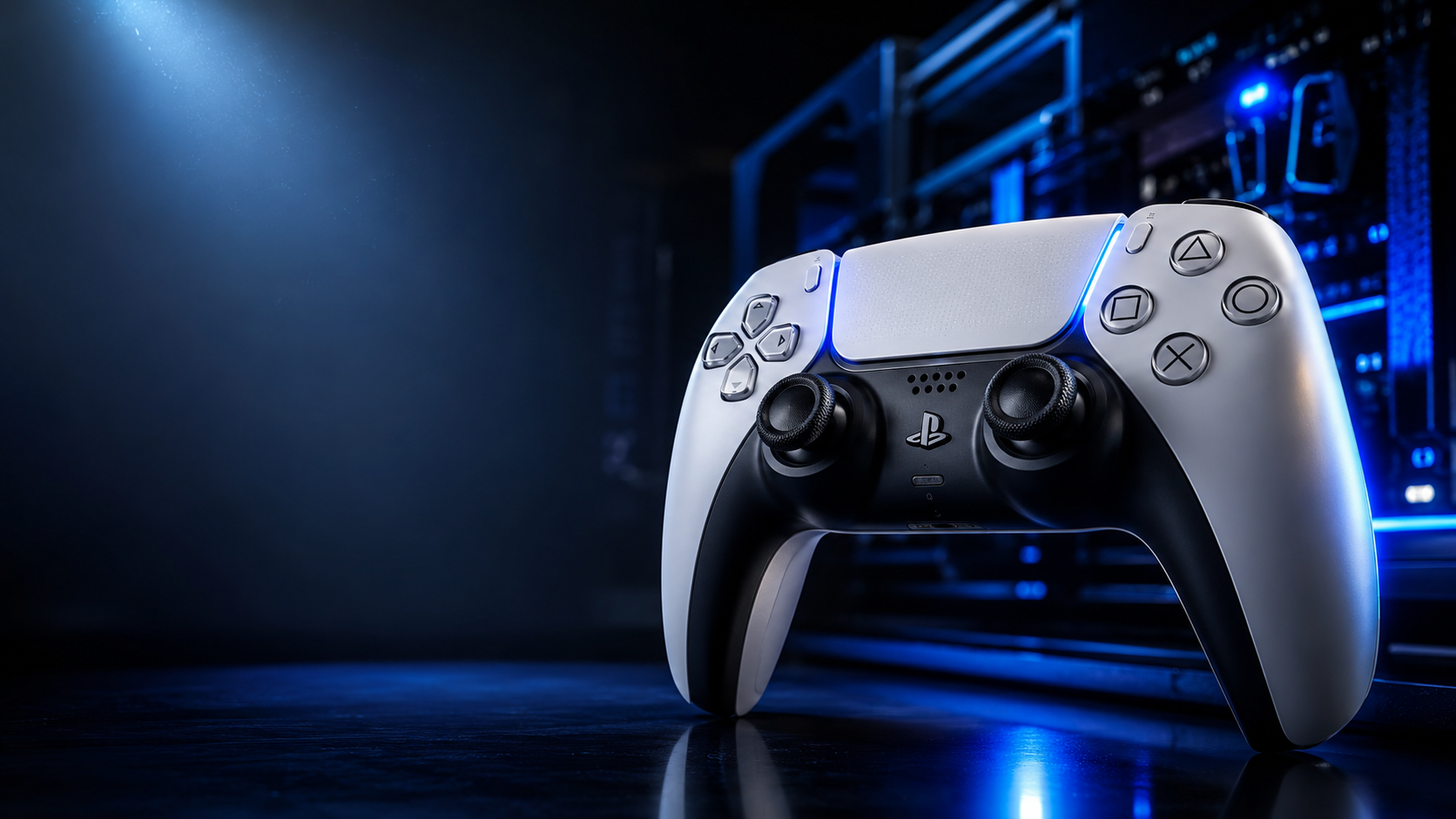
The Real Reason Gamers Search for a “PS5 Pro Controller”
Most people searching for a “PS5 Pro Controller” are not actually looking for a different PlayStation 5 console controller version.
They are usually searching for one of three things:
A premium PS5 controller with professional features
A competitive gaming controller for FPS and esports titles
Sony’s advanced controller equivalent to Xbox Elite controllers or SCUF gamepads
That controller is the:


DualSense Edge Wireless Controller
And it represents a major shift in how Sony approaches competitive gaming hardware.
For years, PlayStation controllers focused primarily on comfort and immersion. Then competitive gaming exploded into mainstream culture. Players stopped treating controllers as simple accessories and started viewing them like performance equipment.
Reaction time mattered. Trigger distance mattered. Stick tension mattered. Back buttons mattered.
Sony understood that serious players were increasingly willing to spend premium prices for customization, precision, durability, and control optimization.
The result was the DualSense Edge — a controller designed not merely to feel immersive, but to feel configurable.
That distinction matters more than marketing language suggests.
The standard PS5 controller already delivers one of the best casual gaming experiences available. The Edge exists for players who want finer control over how games respond to their hands.
And once you understand what the controller actually changes — and what it does not — it becomes much easier to decide whether it deserves a place in your setup.
This guide breaks down everything that matters:
- DualSense Edge features
- Performance advantages
- Battery life reality
- Competitive gaming benefits
- Trigger stops
- Back buttons
- Replaceable stick modules
- Setup process
- PC compatibility
- Common problems
- FPS optimization
- Custom profiles
- Latency considerations
- Buying advice
- Long-term durability
- Whether it is truly “pro” level or mostly premium branding
If you are trying to decide whether the PS5 Pro Controller is worth buying in 2026, this is the deep-dive most reviews never fully provide.
What Is the PS5 Pro Controller?
The phrase “PS5 Pro Controller” commonly refers to the:
DualSense Edge Wireless Controller
Sony designed it as a premium customizable version of the standard:
DualSense Wireless Controller
It competes with:
- Xbox Elite Series controllers
- SCUF Reflex controllers
- Razer Wolverine series
- Victrix Pro controllers
Unlike third-party alternatives, the Edge is Sony’s official first-party professional controller for PlayStation 5.
Search Intent Analysis: Why Players Want a PS5 Pro Controller
Understanding user intent explains why this controller became so popular.
Primary Search Intent
Users want to know:
- Whether the controller improves gaming performance
- If it is worth the high price
- What makes it “pro”
- Whether it helps in competitive games
Secondary Intent
Players also search for:
- Battery life
- PC compatibility
- Stick drift solutions
- Trigger customization
- Setup guides
- Back button usage
- Durability concerns
Emotional Intent
There is also a psychological layer behind these searches.
Competitive gamers often feel limited by standard hardware. They want:
- Faster reactions
- Better control
- Precision advantages
- More personalization
- Professional-grade equipment
Many buyers are not simply purchasing a controller.
They are buying confidence.
What Makes the DualSense Edge Different?


At first glance, the Edge looks similar to a normal DualSense.
That is intentional.
Sony kept the successful ergonomic foundation while adding professional-level customization.
The biggest differences are hidden beneath the surface.
Key DualSense Edge Features
| Feature | Standard DualSense | DualSense Edge |
|---|---|---|
| Adaptive Triggers | Yes | Yes |
| Advanced Haptics | Yes | Yes |
| Replaceable Stick Modules | No | Yes |
| Rear Buttons | No | Yes |
| Trigger Stops | No | Yes |
| Profile Switching | Basic | Advanced |
| Stick Sensitivity Adjustment | No | Yes |
| Dead Zone Control | No | Yes |
| USB Lock Mechanism | No | Yes |
| Competitive Customization | Limited | Extensive |
Rear Buttons: Why Competitive Players Care So Much
Rear buttons are one of the biggest reasons players upgrade.
Why Back Buttons Matter
In competitive games, removing your thumb from the right analog stick can reduce reaction speed.
Rear buttons solve that problem.
Instead of:
- Taking your thumb off aim controls
- Pressing jump or reload on the face buttons
You can keep aiming while activating commands from the back of the controller.
That small difference changes movement efficiency dramatically in games like:
- Call of Duty: Warzone
- Fortnite
- Apex Legends
- Destiny 2
High-level players often use rear buttons for:
- Jumping
- Sliding
- Melee attacks
- Reloading
- Weapon switching
Trigger Stops: Faster Inputs Matter More Than You Think
What Trigger Stops Do
The Edge allows users to shorten trigger travel distance.
That means:
- Faster firing
- Reduced finger movement
- Quicker response times
For story games, the difference feels minor.
For competitive shooters, it becomes noticeable quickly.
Milliseconds matter in high-level multiplayer environments.
This is why many esports-focused controllers prioritize trigger reduction systems.
Replaceable Stick Modules: Sony’s Smartest Decision


Stick drift has become one of the biggest frustrations in modern gaming.
The issue affects nearly every major controller brand eventually.
Sony addressed this by allowing stick modules to be replaced.
Instead of replacing the entire controller:
- You replace the affected module
That changes the long-term ownership experience significantly.
Why This Matters Financially
Premium controllers are expensive.
Replacing a full controller because of stick drift feels painful.
Modular stick replacement:
- Extends controller lifespan
- Reduces repair costs
- Improves long-term value
- Appeals to hardcore players
This feature alone convinced many competitive users to upgrade.
Adaptive Triggers and Haptics Still Matter
One misconception is that “pro controllers” abandon immersion features.
Sony did not remove them.
The Edge still includes:
- Adaptive triggers
- Advanced haptic feedback
- Integrated speaker
- Motion controls
- Built-in microphone
This balance is important because the controller tries to serve both:
- Competitive gaming
- Cinematic single-player experiences
That dual identity makes the Edge more versatile than many esports-only controllers.
Battery Life: The Biggest Weakness
Battery life is arguably the controller’s most criticized area.
Real-World Battery Performance
| Usage Type | Estimated Battery Life |
|---|---|
| Casual gaming | 6–8 hours |
| Competitive settings | 5–7 hours |
| Heavy adaptive trigger use | 4–6 hours |
| Wired mode | Unlimited |
The Edge generally lasts less time than the standard DualSense.
Why?
Because:
- Additional customization hardware consumes power
- Advanced features remain active
- Internal design prioritizes performance features over larger battery capacity
Many experienced users simply keep the controller wired during long sessions.
Wired vs Wireless Performance
Wired Mode Advantages
Competitive players often prefer wired mode because it provides:
- Stable connectivity
- Lower latency consistency
- No battery anxiety
- Tournament reliability
Sony even included a USB locking mechanism to prevent accidental cable removal during gameplay.
That detail reveals exactly who this controller targets.
Custom Profiles: One of the Most Underrated Features


The Edge allows players to create multiple control profiles.
You can customize:
- Stick sensitivity
- Trigger dead zones
- Button mapping
- Vibration intensity
- Trigger response
And then switch instantly between profiles.
Example Use Cases
| Game Type | Recommended Setup |
|---|---|
| FPS Games | Short triggers, low dead zones |
| Racing Games | Full trigger travel |
| Story Games | Strong haptics enabled |
| Competitive Multiplayer | Minimal vibration |
| Sniper Loadouts | Slower aiming curves |
This flexibility dramatically changes how the controller feels across genres.
Is the DualSense Edge Actually Better for FPS Games?
Yes — but with important caveats.
Areas Where It Helps
Faster Inputs
Trigger stops improve firing speed.
Better Movement
Rear buttons allow advanced movement without losing aim.
Personalized Sensitivity
Custom curves improve muscle memory consistency.
Reduced Input Errors
Profile tuning creates cleaner control responses.
What It Does NOT Do
It does not magically improve skill.
Many casual buyers misunderstand this.
The Edge enhances:
- Efficiency
- Comfort
- Consistency
- Personalization
But game sense, reaction time, positioning, and accuracy still matter more than hardware alone.
PC Compatibility: Surprisingly Strong
The DualSense Edge works well on PC.
Supported Features
Depending on the game and platform:
- Adaptive triggers
- Haptic feedback
- Button remapping
- Wired support
- Bluetooth support
Steam integration improved compatibility dramatically.
However, advanced haptics usually work best in wired mode.
Best Games for the PS5 Pro Controller


Competitive Games
- Call of Duty: Modern Warfare III
- Fortnite
- Rainbow Six Siege
- Apex Legends
Rear buttons and trigger stops feel especially valuable here.
Immersive Single-Player Games
- Spider-Man 2
- Returnal
- Gran Turismo 7
- Astro’s Playroom
These titles showcase Sony’s advanced haptic ecosystem beautifully.
Common Problems and Complaints
No premium controller is perfect.
The Edge has several recurring criticisms.
1. Battery Life Complaints
This remains the biggest issue.
Hardcore users often report charging more frequently than expected.
2. High Price
The controller sits firmly in premium territory.
For many casual users, the standard DualSense already feels excellent.
3. Stick Module Availability
At times, replacement modules can become difficult to find.
That weakens one of the controller’s biggest advantages.
4. Weight
Some players enjoy the heavier premium feel.
Others prefer lighter controllers for extended sessions.
Common Beginner Mistakes
Leaving Default Settings Untouched
Many users buy the Edge but never customize it properly.
That defeats much of the controller’s value.
Using Competitive Settings in Story Games
Ultra-short triggers feel great in shooters.
They can feel terrible in racing or cinematic games.
Ignoring Dead Zone Adjustments
Dead zones heavily affect aiming consistency.
Small tweaks can transform controller feel.
Expecting Instant Skill Improvement
Hardware optimization supports performance.
It does not replace practice.
Recommended Competitive Settings
| Setting | Recommended FPS Setup |
|---|---|
| Trigger Travel | Short |
| Vibration | Low or Off |
| Stick Curve | Precise |
| Dead Zones | Minimal Stable |
| Rear Buttons | Jump + Slide |
| Wired Mode | Enabled |
These adjustments prioritize responsiveness and consistency.
Should Casual Players Buy the DualSense Edge?
That depends on gaming habits.
Probably Worth It If You:
- Play multiplayer shooters regularly
- Enjoy controller customization
- Want rear buttons
- Spend hundreds of hours gaming annually
- Value premium hardware
- Prefer competitive optimization
Probably NOT Necessary If You:
- Mostly play story games casually
- Rarely customize controls
- Want longer battery life
- Prefer budget-friendly hardware
- Play only occasionally
The standard DualSense already delivers outstanding immersion.
The Psychological Side of Premium Controllers
There is an interesting mental aspect to pro gaming hardware.
Premium equipment often increases:
- Confidence
- Comfort
- Engagement
- Competitive focus
That psychological effect matters.
When players feel more connected to their controls, they often perform more consistently — even if the improvement is partially mental rather than purely mechanical.
This is one reason pro controllers remain popular despite high prices.
How Sony Positioned the DualSense Edge Differently
Many professional controllers focus almost entirely on esports.
Sony took another route.
The Edge attempts to combine:
- Competitive customization
- Cinematic immersion
- Accessibility flexibility
- Premium industrial design
That broader identity gives it wider appeal than purely tournament-focused hardware.
Future of PS5 Pro Controllers
The DualSense Edge likely represents the beginning of a larger trend.
Future premium controllers may include:
- Hall Effect sticks
- AI-based sensitivity tuning
- Dynamic trigger intelligence
- Adaptive grip systems
- Biometric feedback
- Enhanced modular repairs
Gaming hardware increasingly resembles enthusiast PC equipment.
Controllers are becoming customizable performance tools rather than disposable accessories.
Final Verdict: Is the PS5 Pro Controller Worth Buying in 2026?
The DualSense Edge succeeds because it improves both:
- Competitive flexibility
- Premium user experience
It does not reinvent gaming.
It refines it.
For serious players, the advantages become obvious quickly:
- Rear buttons improve movement
- Trigger stops speed up reactions
- Custom profiles personalize gameplay
- Replaceable sticks extend longevity
At the same time, the controller preserves Sony’s excellent haptics and adaptive trigger ecosystem.
That combination is rare.
The biggest drawbacks remain:
- High price
- Limited battery life
- Occasional accessory shortages
Still, for players who spend large amounts of time gaming — especially in multiplayer titles — the Edge often feels less like a luxury and more like a long-term investment.
And perhaps that is the clearest way to understand the “PS5 Pro Controller.”
It is not about making games easier.
It is about making control feel more intentional.
Frequently Asked Questions (FAQ)
What is the PS5 Pro Controller called?
The official premium PS5 controller is the:
DualSense Edge Wireless Controller
Is the DualSense Edge better than the standard DualSense?
For competitive gaming and customization, yes. For casual players, the standard DualSense is usually sufficient.
Does the PS5 Pro Controller have back buttons?
Yes. The DualSense Edge includes customizable rear buttons.
Can you replace analog sticks on the DualSense Edge?
Yes. The controller supports replaceable stick modules.
Is the DualSense Edge good for FPS games?
Yes. Trigger stops, rear buttons, and custom sensitivity profiles make it excellent for shooters.
Does the PS5 Pro Controller work on PC?
Yes. It supports USB and Bluetooth connectivity with strong Steam compatibility.
How long does the DualSense Edge battery last?
Usually around 5–8 hours depending on features and usage intensity.
Is the DualSense Edge worth the high price?
For serious gamers and competitive players, often yes. Casual users may prefer the standard DualSense.
Does the DualSense Edge still support adaptive triggers?
Yes. Sony retained adaptive triggers and advanced haptic feedback.
What is the biggest weakness of the PS5 Pro Controller?
Battery life remains the most common complaint among users.
About the Author



1 thought on “PS5 Pro Controller (2026) – DualSense Edge Complete Guide, Features, Performance, Battery Life, Setup, Problems & Buying Advice”